
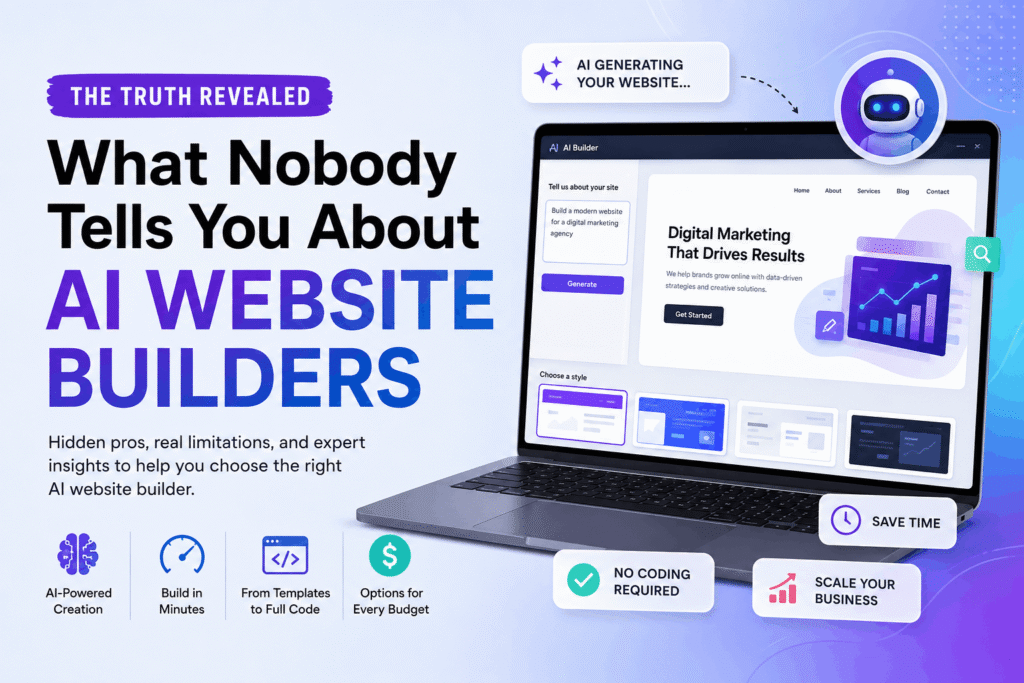
Between 2024 and now. From a practical standpoint, the number of ai website builders you’ll stumble across has probably tripled. Maybe you’ve seen ads for options that promise a fully functional site in seconds with just a few sentences typed into a box. If you’re like most entrepreneurs I’ve talked to. You’re a little skeptical.
That’s smart. Because while these platforms have genuinely transformed web development. They’ve also spawned a wave of overhyped marketing and half-truths. If you’re here, you likely want the real story.
Think about that. Not another sales pitch pushed by an affiliate marketer. Let’s cut through the noise and look at what these tools actually, or at least, do, where they fall short, and how to avoid picking the wrong one for your project.
TL; DR
- AI website builders use machine learning to generate site code, content, and layout from user prompts, reducing creation time by up to 80% compared to manual coding.
- The current landscape is split into traditional marketing-site builders (Wix, Squarespace) and full-stack app builders (Lovable, Bolt.new), each with different skill requirements.
- While prices range from as low as $1.79/month (Hostinger) to $399/month for AI+human hybrids, the real challenge isn’t cost; it’s matching the tool to your actual business needs without getting stuck with a generic design.
Key Point
- Most AI builders for marketing sites like Wix or Squarespace can launch a decent-looking site in under an hour, but you’ll still need to tweak the design manually because current AI can’t handle visual refinements.
- Full-stack builders like Lovable generate actual backend code, giving you a functioning web app, not just a brochure site, and that’s a completely different ballgame.
- The cheapest option (Hostinger at $1.79/month) works shockingly well for simple projects, but the jump to a custom, on-brand design often requires higher-tier plans or human input.
- If you ignore the platform’s limitations and expect a completely hands-off experience, you’ll end up frustrated and with a site that looks like everyone else’s.
Table of Contents
- What Are AI Website Builders, Exactly?
- How AI Website Builders Work Behind the Curtain
- Why This Matters for Entrepreneurs Who Can’t Code
- The Catch: Where AI Website Builders Still Stumble
- How to Choose the Right AI Website Builder for Your Project
- People Also Ask
What Are AI Website Builders, Exactly?
AI website builders are software platforms that use machine learning. Moving forward. Natural language processing to turn a written description into a website. They can generate layouts, write copy, select images, and in some cases produce actual front-end and back-end code. Surprising, not really.
From a practical standpoint. Unlike conventional drag-and-drop editors that takes you to arrange elements manually. These tools let you type something like “build a landing page for a yoga studio in San Diego” and get a ready-to-publish result in minutes.
From a practical standpoint. It’s tempting to think of them as a magic wand. Plus, but overall more detailed. Some builders (like Wix’s ADI system or. Correction, Squarespace’s Plan AI) lean heavily on pre-designed templates.
That’s only part of it, though, and just remix components to fit your prompt.
Js code, complete with functional (a detail a lot overlooked) forms and database connections. Stick with me here. The trade-off is that the latter group often calls for a bit more technical savviness to tweak the output.
If you hear someone say “AI websites are all the same,” they haven’t dug into the details.
Are they really a replacement for developers?
Pay attention to this part. For hassle-free marketing sites, absolutely.
For a customized web application with unique logic? Not yet.
I’ve seen countless business owners try to stretch a marketing-site builder into something it wasn’t designed for, and the result is usually a slow, clunky mess. A mentor of mine once put it this way: “These apps are fantastic for around 80% of use cases. That’s a significant gap. ” That’s a fair assessment.
How AI Website Builders Work Behind the Curtain
When you input a prompt. The platform runs it through a large language model (often fine-tuned on web development projects), and either assembles a layout from a library of components. Or generates raw code. In the older guard of pieces like IONOS and DreamHost, the underlying mechanism is more of an advanced template mixer — looking closer, they’ve trained models on thousands of high-performing sites to predict.
Which section (hero, features, testimonials) should follow another based on your prompt. Each results are fast but sometimes formulaic.
Full-stack builders go deeper. In a modern structure, lovable, according to Horizons Review, is the best for speed, thinking about it more, and design vibes precisely because it doesn’t just shuffle templates; it writes actual clean code. That means you get a site that can scale, connect to APIs, and even be exported for manual tweaking by a developer later.
I’ve played around with it myself, and honestly. The first time it generated a functional login system from a single sentence, I was both (a detail a lot overlooked) impressed and a little unsettled.
Yet, here’s the thing: the AI can’t checks out aesthetics. As ZDNet noted. No current AI functionality exists for design improvements. The machine can place elements. Where they’re statistically likely to live.
Why does this matter? It doesn’t grasp negative space, typographic hierarchy. Or brand psychology the way a human designer does. You can get a site that’s structurally sound in seconds, but it’ll likely need manual polish to feel actually professional.
Why This Matters for Entrepreneurs Who Can’t Code
Let’s face it. Hiring a developer for a basic site used to cost anywhere (which works out well in practice) from $2,000 to $10,000, and the timeline could stretch weeks. 79/month, you can be online in an afternoon. Not always the case, and that’s a massive leveling of the playing field. Now, according to All About Cookies, Wix leads the pack for automated website creation.
Hang on – there’s more. Followed by Hostinger, SquareSpace, DreamHost, and IONOS.
The price range is wild; on the high end, B12 charges $399/month for AI plus human design help, which might be overkill for a solo consultant but justifiable for a law firm needing polished, compliant content.
The real major shift, though. Is how quickly you can test ideas. I’ve seen small business owners launch landing pages for a new service in 45 minutes. Collect email signups, and then decide whether (though exceptions exist, naturally) to invest more.
Make of that what you will. That ongoing speed was unthinkable a decade ago. NxCode’s analysis of the market points out that AI website builders have split into two distinct categories.
By most accounts, marketing site builders and full-stack application builders. The former are perfect for portfolios, blogs, and small business sites. The latter can build SaaS dashboards. Or e-commerce platforms with backend logic.
If you run a service-based business, say a freelance photographer. Or a cafe, a marketing-site builder will cover 95% of your needs. That’s a significant gap. You’ll get a contact form. A gallery, maybe an online ordering link, and all that without touching a line of code. The learning curve is often shallower than a one-page instruction manual.
Then again, there’s a catch. Which leads to the next section.
The Catch: Where AI Website Builders Still Stumble
Building on that earlier point, a lot of entrepreneurs walk into this space with the wrong expectations, and honestly, they assume that because the tool uses AI, it will (and rightly so) think for them. That’s not how it works, and the output is only as solid as the prompt and the platform’s training data, and the training data is, by nature, averaged.
Your site might end up looking like a dozen others in the same niche.
Probably the most common mistakes I see is everyone signing up for the cheapest tier without checking if it includes a custom domain. SSL, or SEO settings. 79/month plan is fantastic for hobby projects, but it lacks e-commerce features and advanced analytics, so what does that mean for you?
On closer inspection, plus, know what you’re trading away. According to ZDNet, the biggest technological gap right now is (a detail often overlooked) in design-side AI. There simply isn’t a tool that can autonomously improve visual aesthetics based on your feedback.
You’ll still need to manually adjust spacing. Select better fonts, and check that responsive behavior on mobile.
Then there’s the full-stack builder trap. New are incredible for launching functional apps, but. If you don’t figure out the basics of deployment. Environment variables, or bug fixing, you might hit a wall blazing. The NxCode resource points out that these tools demand more technical understanding than traditional builders.
” Hold onto this thought.
Yet, i’ve also noticed that when everyone rush through the setup, and skip customizing the AI-generated copy, the text a lot (at least based on current observations) reads a bit bland, and it lacks the personality that makes a brand stick, so you might save time upfront. But then lose visitors who don’t connect with the generic tone.
How to Choose the Right AI Website Builder for Your Project
With so quite a few options, analysis paralysis sets in speedy — so I’ll break it down into a hassle-free structure. One thing to note, decide what kind of site you’re building. A direct online presence (brochure site. Ultimately, blog, portfolio) or a web application (SaaS tool, custom marketplace, interactive platform). Then match the tool to that goal.
The table below summarizes five popular platforms. Their pricing, and their sweet spots.
| Platform | Starting Price (2026) | Best For | Code Generation? | Design Customization |
|---|---|---|---|---|
| Wix (ADI) | ~$16/month (Combo) | Automated marketing sites, small business | No | High (but manual) |
| Hostinger | $1.79/month | Budget-friendly basic sites | No | Moderate |
| Squarespace | ~$25/month | Designer-quality templates with AI assist | No | High |
| Lovable | Custom pricing (free tier available) | Full-stack app prototypes | Yes | Low (code knowledge needed) |
| B12 | $399/month | AI+human hybrid for professional services | No | Very high (human team) |
But here’s the thing – these days, this table doesn’t include every player, but it gives you a sense of the trade-offs.
What’s the most common mistake when picking a builder?
Picking the tool based on the lowest price alone. You might save a few dollars now but end up paying, well. Actually, later to migrate to a platform that actually supports your growth. Always check the exit path: can you export your content cleanly? Some AI builders lock you into their setup. Making it painful to switch.
After you’ve shortlisted a couple, run a quick test. Most platforms offer a free trial or a free tier. I’d recommend spending an afternoon trying to build a single page on each candidate. Notice where you get stuck; which is why that friction is constantly the real indicator of whether a tool will work for you long-term.
Actually, let me put that more precisely. The friction you run into in the first hour rarely goes away. It’s usually a design shortcoming that you’ll keep bumping into.
- Define your site type — Decide whether you need a brochure site, blog, e-commerce store, or full web app before looking at any tools.
- Compare the real cost — Look beyond the advertised price and note what’s missing: custom domain, SSL, SEO controls, e-commerce fees.
- Test with a free trial — Build a simple page with two or three contenders and push their AI features to see where they break.
- Customize the design — Allocate at least 2-3 hours to adjust branding, copy, and mobile responsiveness; don’t rely on AI defaults.
- Get outside feedback — Show your site to someone in your target audience within 48 hours of launch to catch blind spots early.
People Also Ask
How much does an AI website builder cost?
79/month with Hostinger’s entry plan. And can climb to $399/month for bundled human-assisted services like B12. Worth pausing on that one. Most small business plans fall between $10 and $30 per month. When billed annually. Though some full-stack platforms charge based on usage or features.
Can AI website builders handle e-commerce?
Taking a step back here, yes, a handful of platforms like Wix. And Squarespace include e-commerce capabilities in their AI-generated designs, but the AI only sets up the basic storefront. Stick with me here. You’ll need to manually configure product listings. Payment gateways, and shipping rules.
Full-stack builders can accommodate more complex e-commerce logic if you know how to tweak the generated code.
Are AI-generated websites SEO-friendly?
Most AI builders embed basic SEO fields (title tags, meta descriptions. Alt text suggestions). But they can’t strategize keyword targeting or content hierarchy. After the site is generated, you must audit and improve the structure yourself, including page speed and mobile performance, to rank well.
Do these tools actually write the code?
As far as I know, in general, traditional builders like Hostinger. And Squarespace don’t output raw code; they use (which is a critical factor) proprietary systems to render pages. Take that with a grain of salt. New generate real JavaScript structures.
Which developers can later change or extend. Actually, that distinction matters if you ever plan to hand the project to a professional.
What’s the biggest limitation of AI website builders right now?
The absence of intelligent design help; aI can lay out elements, pick colors from a palette, and write filler copy, but it can’t iteratively improve the visual appeal based on qualitative feedback.
Can I build a SaaS app with an AI website builder?
New, not a marketing-site platform. These can scaffold authentication, database interactions, and server logic. However, expect a steeper getting-used-to phase and the likelihood that you’ll need a developer to polish the final product.
Store this one. It ties everything together later.
The whole point of ai website builders isn’t to eliminate human creativity. It’s to remove the friction that stops you from starting.
If you go in knowing their limitations and are willing to invest a little — hmm, let me put it differently; elbow grease in design and content, they can save you weeks and thousands of dollars. If you expect a push-button solution that produces a site indistinguishable from a custom agency build, you’ll be disappointed. The technology is impressive, but it’s still just a tool. Like any tool, it works best.
When you bring your own vision to the table.
🔍 Research Sources
Verified high-authority references used for this article


Comments (0)