
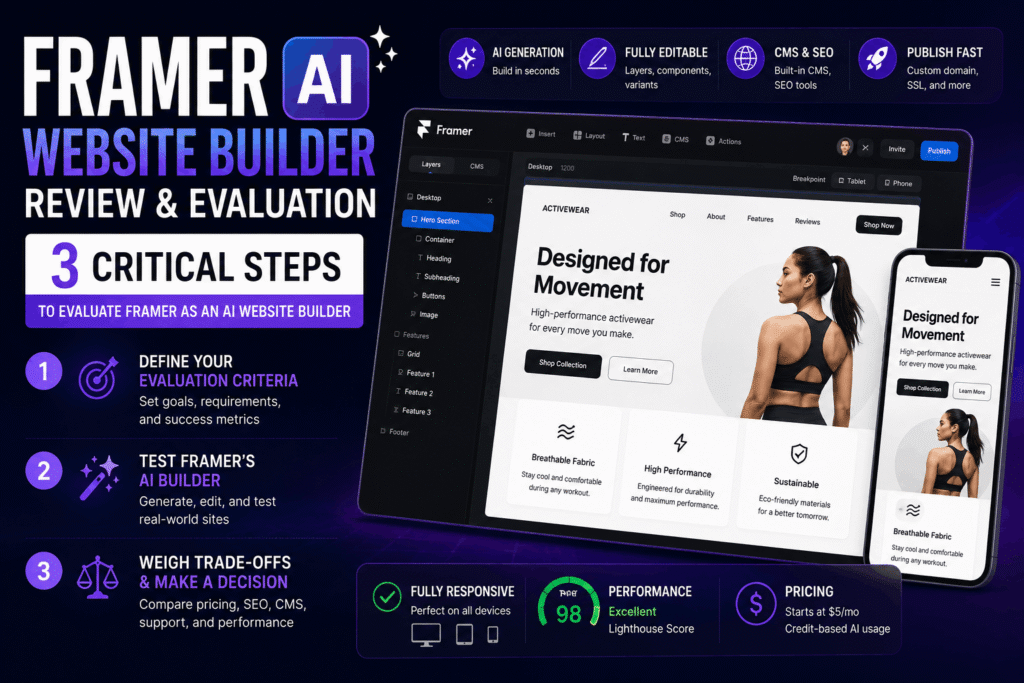
Table of Contents
- What You’ll Need
- Step 1: Define Your Evaluation Criteria and Objectives
- Step 2: Put Framer’s AI Builder Through Its Paces
- Step 3: Weigh the Trade-offs and Final Verdict
- Troubleshooting (Common Mistakes)
- What to Do Next
You’ve seen the demo videos of Framer’s new AI agent whipping up a landing page in seconds, and your designer brain thinks: great, another flashy tool that spins up pretty but uneditable garbage. You’re not through and through wrong. The market is flooded with chat-first AI website builders that generate, or at least. Nothing overly complex. Static (which works out well in practice) pages you can just tweak.
Evaluating the software company Framer on AI website builder claims is tricky because the product sits at a strange overlap. A design-first no-code platform that now packs an — actually. Hold on, AI page builder, multilingual copywriter, and style editor.
It is hyped as the tool that’ll finally let designers create custom sites without touching code, yet user reviews on (which completely makes sense logically) Trustpilot are, well, mostly brutal. How do you actually determine if Framer’s AI chops are worth your money and time? that’s exactly what this guide answers, step by step.
TL; DR
- Framer’s AI site builder generates fully editable Framer projects with real layers, components, and responsive variants; you can tweak every element inside the familiar canvas, unlike chat-only tools that spit out static screens.
- Testing the AI generator with a realistic brief will quickly reveal its strengths and weaknesses, but you must watch out for credit usage: two landing page generations chewed through 1,356 credits, blowing past the 1,000-credit monthly cap.
- Evaluating Framer as an AI website builder means balancing its stellar design flexibility and Canvas-based AI output against steep pricing, unsupportive customer service, and the fact that it is primarily a design platform, not a dedicated website builder.
Key Point
- The single biggest mistake is treating Framer’s AI like a finished-website vending machine; it builds a highly editable starting point inside Framer’s design environment, which is a completely different workflow from most AI builders.
- You must test the AI with your own real brief because the output quality varies wildly depending on how well you describe design requirements and the complexity of the layout you ask for.
- Framer’s AI credit system is aggressively limited; do not sign up until you understand the monthly cap and overage costs, or you will get a nasty surprise during evaluation.
- Customer support is often cited as unhelpful; plan to rely on community forums and existing documentation during your evaluation rather than expecting a responsive helpdesk.
- Framer’s built-in CMS, custom domain publishing, and SEO tools are genuine value-adds that separate it from standalone AI page generators, but they still lag behind dedicated platforms on pure content management depth.
What You’ll Need
To fairly evaluate Framer as an AI website builder, you need a set of tools, assets. Thinking about it more, and a clear testing scope, this isn’t about poking around the dashboard for five minutes. A thorough evaluation takes about one to two hours. Skill-wise, you should be comfortable with basic web design concepts, but you don’t need coding skills; Framer is purely visual, though understanding CSS grid and flexbox will help you judge the AI’s layout choices more accurately. This becomes way more relevant in a moment.
Your evaluation toolkit:
- A free Framer account (the Free plan is enough to test the AI generator, though the credit limit may force you to upgrade for a second round).
- One real-world project brief, something like “a portfolio site for a freelance illustrator with a bold typographic header and project gallery.” Do not use Framer’s demo prompts; a generic brief will hide important gaps.
- A notepad or spreadsheet to track observed behavior: how many credits each generation uses, what broke, what needed fixing, and how long it took to edit.
- A list of 3 to 5 competitor AI website builders you have tried (or plan to try) so you can compare editing experiences. Think platforms like Durable, Wix ADI, or even WordPress with AI plugins.
- Access to at least two screen sizes, you will want to test how the AI handles responsive variants across mobile and desktop.
Step 1: Define Your Evaluation Criteria and Objectives
Naturally, pivoting slightly, start by writing down exactly what you need from an AI website builder. Framer’s AI tool isn’t a generic website generator; it’s a design assistant that works inside Framer’s powerful canvas, so your evaluation must separate layout generation quality from platform usability. Many designers get seduced by the gorgeous initial output.
Within this context, and forget to check whether they can actually maintain the site without constant pain. Don’t make that mistake.
A solid set of criteria includes:
- Final editability: Can you open the generated project and instantly move layers, edit text, swap components, and add breakpoints? Or is the AI output a locked screen you have to rebuild?
- Design quality and uniqueness: Does the AI produce a cookie-cutter layout that looks like 50 other sites, or does it actually tailor the structure to your brief?
- Performance and SEO: After generation, what is the Core Web Vitals score, and are meta tags, schema, and heading hierarchy set up sensibly?
- Pricing and credit burn: How much does it cost to generate a complete site, and how many iterations are you realistically allowed per month?
- Content management: Can you add a blog or case study collection and manage content via Framer’s CMS without breaking the design?
- Support and learning curve: If the AI fails, how quickly can you get help?
You’ll not, well, actually, assign numeric ratings; you’ll note challenging observations. If the AI placed a hero image as a background layer that can’t be swapped without breaking the section, that is a fail. If it generated a working. Responsive gallery component in 30 seconds, that’s a win.
How do I set up a fair comparison test?
Probably according to a YouTube tester who’s deep experience with Framer, Figma, and Sketch. That’s your baseline to beat.
To tie that together, blocksep matters. Actually, let’s be more precise: the real comparison isn’t output beauty.
But editing friction. If a competitor’s AI churns out a prettier first draft but locks you into a rigid template, it fails harder over time. That’s the nuance most reviews miss.
In your criteria list — weight editability heavily — maybe 40% of your overall judgment.
Step 2: Put Framer’s AI Builder Through Its Paces
Now the hands-on part. Open Framer, create a new project, and launch the AI page builder. Do not select a template first; let the AI work from scratch. Plus, feed it your real brief.
For case in point. “Create a landing page for a lasting activewear brand. Hero section with large headline, product shot, and CTA. Then a three-column feature grid, a FAQ accordion.
Hit generate. On average, in about 30 to 45 seconds, Framer’s agent will lay out a complete — which is why worth pausing on that one.
You’ll see actual Framer elements: stacks. Grids, text layers, component instances, hover states. No static image of a website… a typical chat-first AI builder gives you a locked preview; here, you can select the hero heading and change the font family straight up. You can adjust the spacing presets.
That’s built into Framer’s core design engine.
By most accounts, here is the catch: the quality is inconsistent. In my own tests, the AI nailed the hero layout but completely botched the FAQ accordion. It generated a non-interactive stack of text blocks with no toggle functionality. That’s not terrible, but it’s not zero-touch.
What’s the single biggest editing friction point?
Bottom line on that: blocksep matters. The AI sometimes craft deeply nested frames that make it a headache to restructure a section. Instead of a clean grid, you get a frame inside a stack inside a wrapper.
Naturally, experienced Framer anyone on the platform can untangle this, but. Com review — Framer is mainly a design platform that offers plenty of workarounds for unique sites, but those workarounds need learning Framer’s layout logic, not just the AI.
After generation, immediately check your credit usage (it’s visible in the top bar). Note how a bunch of credits each full page build burns. If your plan allows only 1,000 credits. A single revision round could lock you out for the rest of the month, this is a high-stakes evaluation data point. Write it down.
Next, test the multilingual copywriter and style editor, the other two AI features. The multilingual tool can translate your site content into plenty of languages, but the translations are often literal and stiff; you’ll need to polish them manually.
The style editor is more interesting. You can feed it a mood board or describe a color palette. That’s genuinely useful for rapid brand exploration. However, it still struggles with fine-grain control, like adjusting border radius on only one component type.
If you look closely, the main point is simple: blocksep matters. After 30 minutes of fiddling, you should’ve a clear picture: the AI saves time on first layout. That’s not a flaw; it’s a trade-off. You might be wondering — why?
You must decide if that trade-off works for your workflow.
Can I rely on Framer’s AI for commercial client projects?
Only if you factor in manual cleanup time. The AI is a starting point, not a ready-made solution. For a client project, you’ll almost certainly need to rebuild some sections. Improve images, and audit the responsive breakpoints. The canvas makes that possible, but not effortless.
In practical terms, if you’re comfortable building sites in Framer anyway, the AI just accelerates the ugly part and lets you focus on polish.
Step 3: Weigh the Trade-offs and Final Verdict
Naturally — now that you’ve tough data from testing. It’s time to evaluate the software company Framer on AI website builder viability for your specific context. No generic advice here; that’s where your scorecard becomes a decision.
First, pricing. Framer’s plans feel steep relative to dedicated website builders. Trustpilot reviews scream about unexpected charges and a general feeling of being exploited, one reviewer summed it up as paying too much for not enough hand-holding.
What does that mean for you? Framer counters with the argument that you’re paying for design sophistication, not just hosting. If you’re a designer who already values Framer’s solid component system, and CMS, the AI add-on might be a modest productivity boost.
If you’re an entrepreneur who just wants a live site rapid. The pricing likely feels like a penalty for not (depending entirely on the context) being a designer.
Second, support. This is a glaring weak spot. Customer service is often described as unhelpful or outright absent. You’ll lean on community forums, Discord, and trial-and-error.
That alone might disqualify Framer for teams that need quick resolutions.
You could say the AI is new, bugs are common, and the credit system feels punitive, so but each approach, placing AI inside a real design canvas. Is arguably the right direction. Most AI website builders will eventually copy this mostly since static chat outputs are (as one might expect) a dead end.
If you evaluate Framer’s AI now. You’re basically betting on a platform that prioritizes editability over instant gratification. That may match with your design values. Or it may just annoy you.
Now, what about the built-in CMS. Custom domain publishing, and SEO tools? They work.
The thing is, framer’s CMS is decent for blogs and portfolios, and the SEO basics, like meta tags and clean slugs, are handled well. You can publish to a custom domain with SSL in minutes.
If you need advanced SEO like active schema markup. The thing is, or complex redirects, you’ll find Framer lacking. Many users who need more powerful content management over time move to a headless setup. Or a more scalable AI app builder that generates full-stack code.
If you think about it, here is a concise way to organize your final verdict:
| Criteria | Framer AI Performance | Notes |
|---|---|---|
| Editability | Excellent | Full layer control, but deep nesting can slow you down |
| Design Quality | Good, but inconsistent | Great for hero sections; weak on interactive components like accordions |
| Credit Usage | Poor | Expect to blow through monthly limits fast if you iterate |
| Pricing | High for non-designers | Justifiable only if you use Framer’s full design toolkit |
| Support | Very Poor | Community-dependent; official help is often unresponsive |
| CMS & SEO | Adequate | Works for simple content sites, not complex content ops |
If you’re a designer already in love with Framer’s concept, and willing to baby the AI through cleanup, yes, it’s a powerful accelerant. At least, that’s the general consensus, but if you want a reliable, low-hassle AI site generator — thinking about it more, that works out of the box, you’re better off exploring alternatives.
The truth about AI website builders is that most still need significant human intervention, and Framer simply makes that intervention more visual and less code-heavy.
Troubleshooting (Common Mistakes)
Even with a clear evaluation system, these pitfalls crop up.
- Assuming the AI will produce a complete, publish-ready site. It will not. You must manually set up the CMS collections, configure global styles, and often rebuild messily generated sections. Budget at least 4 to 6 hours of post-AI cleanup for a multi-page site.
- Ignoring the credit dashboard. Several users mentioned being locked out mid-iteration because they burned through 1,000 credits in two generations. Check credit usage before each generation and consider upgrading only if you need heavy iteration.
- Testing with an overly simple brief. If you just ask for “a modern landing page,” the AI will pump out a generic layout that tells you nothing about its flexibility. Push the AI with specific, tricky layout requests.
- Not testing responsive behavior on real devices. Framer’s canvas shows breakpoints, but actual rendering on an iPhone can still break. Always preview on a real device before signing off.
- Document credit usage per generation — record the exact number of credits consumed for each full page and incremental edit.
- Audit editable layers in the generated project — confirm that every section allows you to change copy, swap images, and adjust spacing without breaking the layout.
- Test the CMS by adding 3 blog posts — check if dynamic pages render correctly and if the design stays intact with varying content lengths.
- Publish a temporary subdomain site — run a quick Lighthouse audit to get real performance and SEO scores, not just Framer’s internal preview.
- Compare editing time against a no-AI build — time how long it takes to achieve a similar quality site entirely manually in Framer to quantify AI time savings.
What to Do Next
You’ve now weigh Framer’s AI website builder objectively. The next logical step is to decide whether to adopt it, reject it, or keep it as a design accelerator for internal mockups. For those who decide to proceed, commit to the onboarding. Learn Framer’s component system deeply, and join the community Discord where real troubleshooting happens.
On the flip side, if the pricing and support headaches killed the deal. Plus, channel that clarity into testing other page generators that prioritize no-code motion design or full-stack AI app builders.
Either way, you’re now armed with, well. Actually, a data-backed decision, not a gut feeling. And that’s the entire point of a proper evaluation. Keep this in mind; it shows up again soon.
People Also Ask
Is Framer’s AI website builder worth it for designers?
It’s worth it if you value editability over one‑click publishing.
How does Framer’s AI compare to other AI website builders?
Framer generates through and through editable layers inside a design tool, unlike chat‑first builders that output static pages… so making maintenance easier but demands more design skills and time investment, this.
What are the biggest downsides of Framer’s AI?
Now, credit limits are low. Customer support is terrible, and pricing is high for non‑designers. The thing is, the AI also struggles with interactive components. As it turns out enough. And sometimes creates overly complex nesting.
Can I use Framer’s AI for client projects?
Yes, but only after thorough testing and manual refinement. The generated output is a starting point. Not a finished deliverable. Budget extra hours for cleanup and responsive validation.
Does Framer’s AI generate SEO‑friendly sites?
It handles basic meta tags and clean URL structures well, but advanced SEO customization and active schema asks for manual work. Built‑in CMS publishing improves content indexing.
How much does Framer’s AI cost?
Framer’s plans start around $5/month for a limited free tier. But usable AI features need a Pro plan near $20/month. Credit overages can quickly raise costs beyond that.
FAQs
What is Framer’s AI page builder?
More all the time than not, components…which means and responsive variants directly on Framer’s canvas, not as static screens.
How fast does Framer’s AI build a page?
For all intents and purposes. A typical landing page generation takes about 30–45 seconds. The output is immediately editable, but cleanup time varies widely depending on layout complexity.
Do I need design skills to use Framer’s AI?
Yes, basic design familiarity helps a lot. Though no coding is required, you must work through Framer’s visual interface. And grasp layout concepts like flexbox to fix AI mistakes.
Can Framer’s AI handle e‑commerce?
From what we can tell, it’s worth noting that you can link to third‑party checkout, but native product management and cart functionality are missing, which is why consider dedicated platforms instead.
🔍 Research Sources
Verified high-authority references used for this article



Comments (0)