
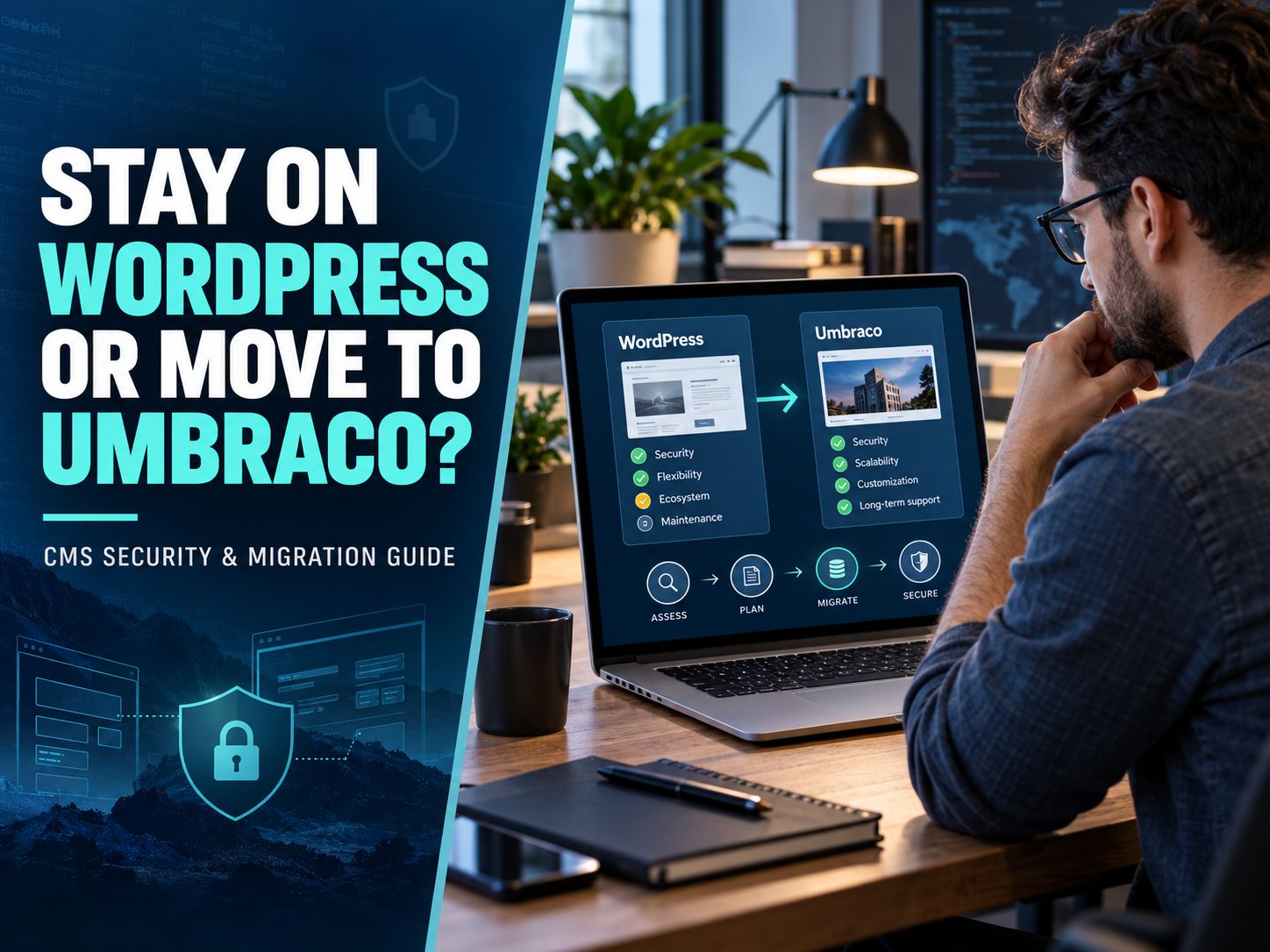
Is Umbraco more secure than WordPress? Umbraco can offer a more controlled development environment, particularly for organizations with experienced .NET teams. But WordPress is not inherently unsafe, and choosing Umbraco does not eliminate vulnerabilities. Both platforms can protect business websites effectively when their applications, dependencies, hosting, and access controls are maintained.
The real question is which CMS your organization can keep secure over time. This guide compares the platforms, examines recent security evidence, and provides a practical framework for deciding whether to keep WordPress or move to Umbraco.
Is Umbraco More Secure Than WordPress in 2026?
Umbraco may have an advantage when an organization requires a tightly controlled application architecture. WordPress may have an operational advantage when a business needs straightforward maintenance, managed hosting, and access to a broad range of experienced specialists.
Neither advantage guarantees better security.
Consider a company running WordPress with updated software, restricted administrator access, and professionally managed hosting. Now compare it with an Umbraco installation using outdated packages and custom authentication code that has never been reviewed.
The WordPress installation could be the safer of the two.
Reverse the maintenance conditions, and the outcome could change.
This is why comparisons based only on programming language, plugin counts, or platform reputation are incomplete.
Umbraco vs. WordPress Security Comparison
| Security factor | Umbraco | WordPress |
|---|---|---|
| Core architecture | ASP.NET Core and .NET | PHP |
| Core security maintenance | Official security patches | Official core security releases |
| Third-party code | Packages and custom extensions | Plugins, themes, and custom code |
| User permissions | Configurable backoffice permissions | Roles and capabilities |
| Multi-factor authentication | Supported through configured authentication providers | Available through integrations and plugins |
| Enterprise identity | Integrates with .NET identity infrastructure | Available through SSO and identity integrations |
| Automatic security updates | Available for applicable Umbraco Cloud patches; otherwise deployment-dependent | Configurable automatic update mechanisms |
| Managed hosting | Umbraco Cloud and .NET hosting providers | Extensive managed WordPress hosting |
| Main maintenance concern | Custom development, package security, upgrades | Plugin security, theme maintenance, configuration |
| Best organizational fit | Teams experienced in .NET and controlled deployments | Teams using WordPress expertise and established maintenance services |
Which Platform Should You Choose?
Quick CMS Decision Guide
- Small business website or blog: Recommended starting point: WordPress. Managed hosting and a documented maintenance plan may provide the best balance of security, cost, and operational simplicity.
- Enterprise with a dedicated .NET team: Recommended candidate: Umbraco. Evaluate Umbraco’s integration with existing .NET services, identity providers, and enterprise deployment practices.
- Existing WordPress website with security problems: Recommended first step: Security audit. Identify the cause of the problem before paying for a migration. Patching, rebuilding compromised components, or improving hosting may solve it.
- New website with complex custom integrations: Recommended next step: Architecture comparison. Build a small proof of concept in both environments and evaluate security, maintainability, integration complexity, and long-term cost.
These are starting recommendations, not the results of a penetration test.
The decision becomes clearer once you understand where each CMS can introduce risk.
What Makes Umbraco’s Security Architecture Different?
Umbraco is built on ASP.NET Core, giving developers access to .NET authentication, authorization, middleware, and other established application-security capabilities.
For an organization already using Microsoft technologies, that can be valuable.
A development team might connect Umbraco to an existing identity provider, restrict content permissions, and deploy approved code through the same process used for its other business applications.
Instead of allowing changes directly on a production website, developers can review and test them first.
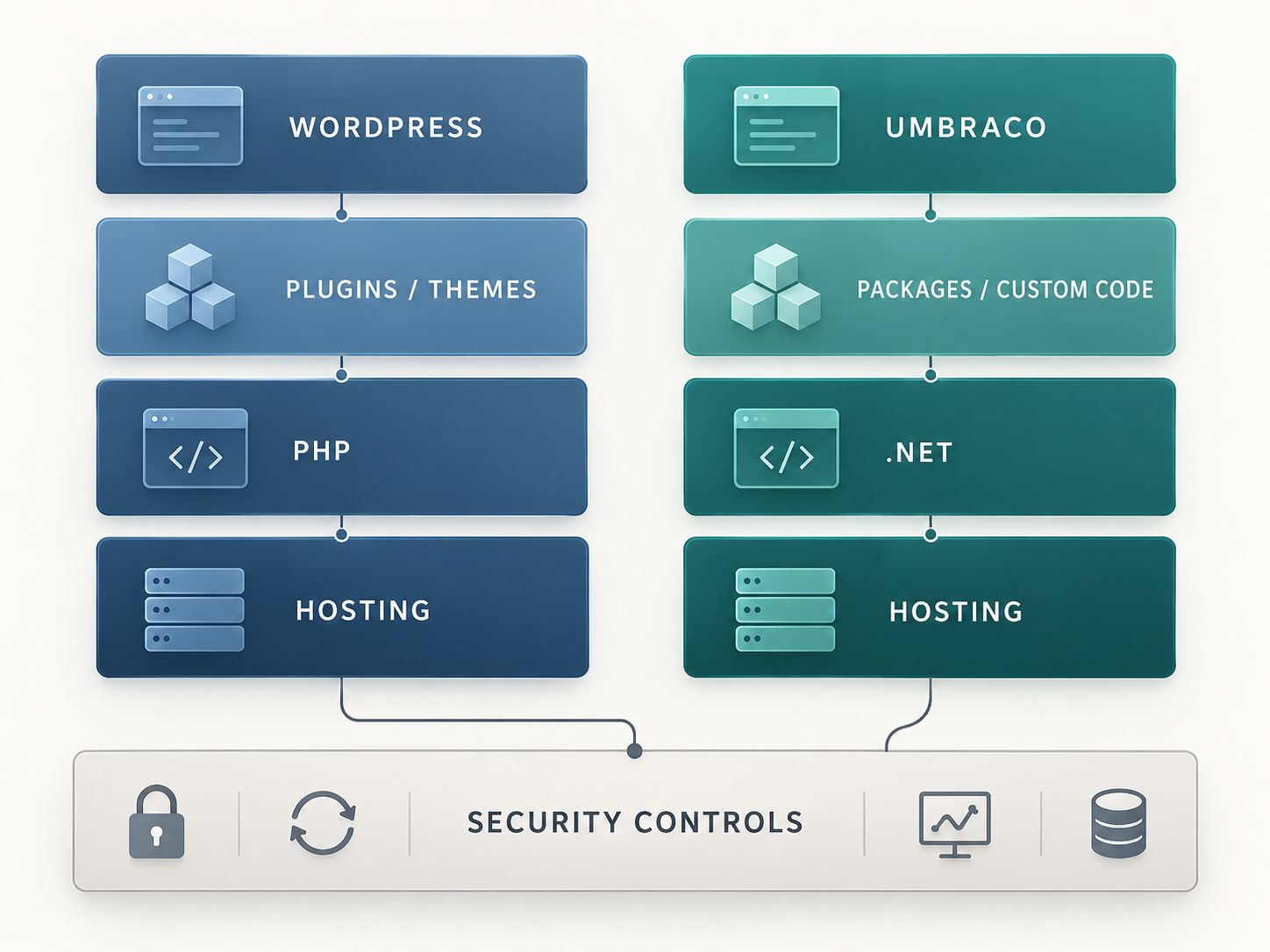
However, these practices do not happen automatically merely because the organization chooses Umbraco.
The Advantage of Controlled Development
A developer-led Umbraco project can limit which packages are installed and how code enters production.
This can make dependency reviews and security testing easier to organize.
Imagine a company that requires every application change to pass:
- Code review.
- Dependency vulnerability checks.
- Automated testing.
- Staging verification.
- Deployment approval.
Such controls can reduce the risk of introducing avoidable vulnerabilities.
WordPress development teams can follow the same process. The relevant advantage is the organization’s ability to enforce it consistently, not a feature exclusive to Umbraco.
Where Umbraco Still Has Security Risks
Custom development introduces its own responsibilities.
An Umbraco application may contain insecure API endpoints, incorrect authorization checks, vulnerable NuGet packages, or unsafe upload handlers.
Even if its CMS core is fully patched, those components can create exploitable weaknesses.
For this reason, a smaller extension ecosystem should never be mistaken for automatic protection.
Is WordPress Really Less Secure Because of Plugins?
No. Plugins increase the amount of code that needs to be evaluated, but installing a plugin does not automatically make a website insecure.
The real concern is the quality and maintenance of that code.
A WordPress website using several reputable, actively maintained plugins may have a stronger security posture than a heavily customized application whose dependencies are rarely reviewed.
Problems often arise when websites accumulate plugins over time.
An agency installs a form builder. Another developer adds a membership extension. Years later, an abandoned plugin remains active because nobody remembers whether the website still needs it.
That forgotten dependency can become an unnecessary exposure.
How WordPress Security Can Be Strengthened
For WordPress, the most effective measures are generally operational:
- Maintain supported WordPress, PHP, plugin, and theme versions.
- Remove unused software rather than merely deactivating it indefinitely.
- Protect privileged accounts with MFA where appropriate.
- Review user roles and permissions regularly.
- Use trusted hosting with appropriate server-level protections.
- Test backups and document how to restore a compromised website.
- Monitor unexpected changes, suspicious accounts, and security alerts.
The official WordPress security hardening documentation provides further guidance on updates, permissions, configuration, and protecting the application.
One detail deserves attention: WordPress automatic update behavior varies by installation and configuration. It is not safe to assume that every plugin and theme automatically receives updates.
A website owner should verify the actual settings and who is responsible for checking failed or incompatible updates.
Where Can Attackers Target Either CMS?
An attack surface is the collection of interfaces and components through which a system can be accessed or attacked.
On a typical CMS installation, that includes the login interface, APIs, forms, third-party dependencies, upload mechanisms, and administrative functionality.
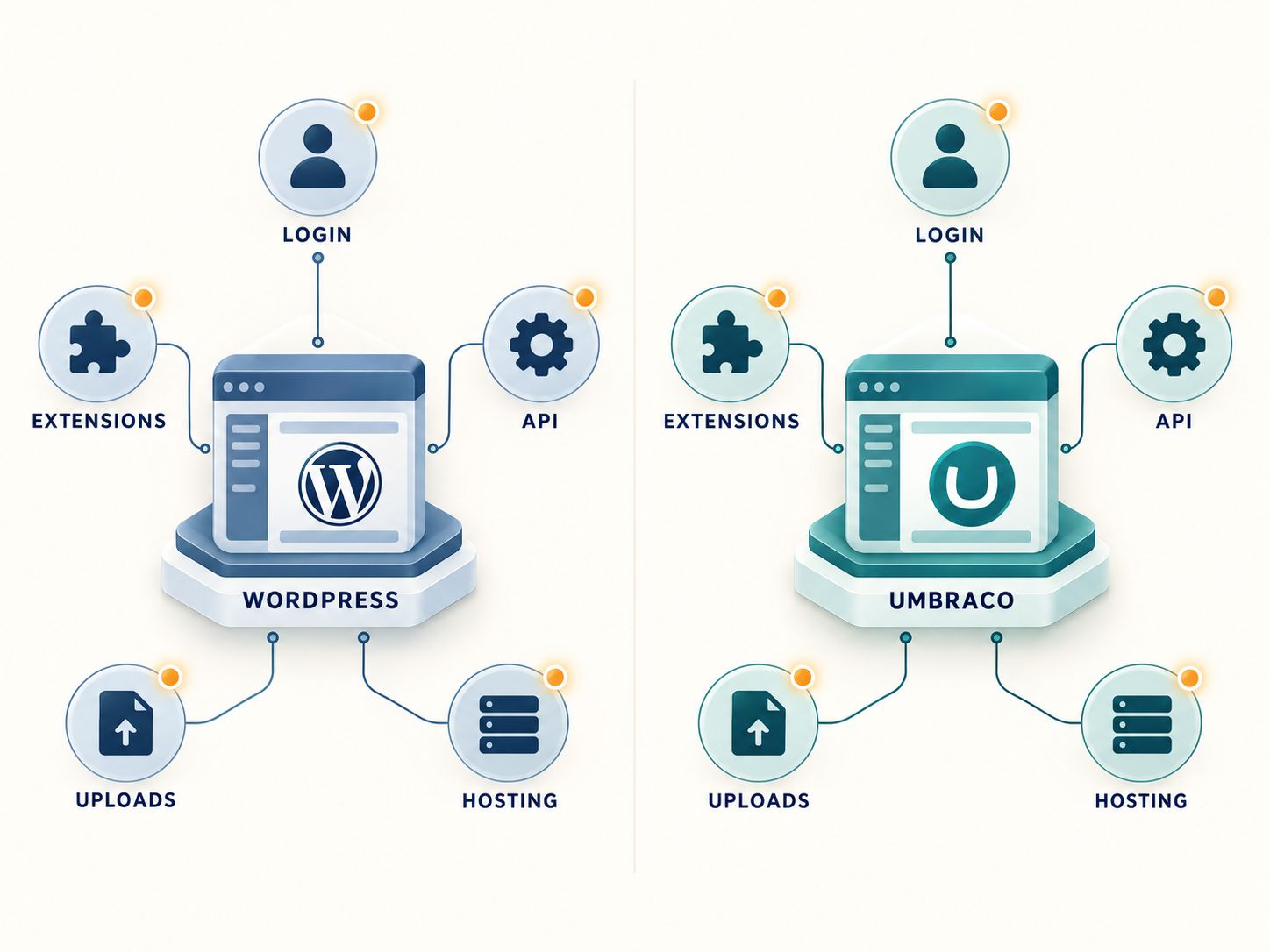
Both platforms expose different components that must be configured, reviewed, and maintained. The diagram does not represent measured vulnerability counts.
This comparison reveals something important: the two platforms have different architectures, but many underlying risks are similar.
A Practical Example: File Upload Vulnerabilities
Imagine two websites that allow customers to upload documents.
One runs WordPress and uses a third-party upload plugin. The other runs Umbraco and uses a custom upload controller.
In both cases, developers must validate file types, enforce authorization, limit size, use safe storage practices, and ensure uploaded files cannot be executed unexpectedly.
If either application handles uploads incorrectly, it could introduce security problems.
The CMS brand does not eliminate those responsibilities.
The lesson: Evaluate exposed functionality and code quality, not just the platform running underneath.
What Do Recent Umbraco Security Updates Reveal?
Umbraco’s October 6, 2026 security advisory is a useful real-world example of why ongoing patching matters.
The advisory disclosed four resolved vulnerabilities in Umbraco CMS, with two moderate-severity and two low-severity findings.
Official Security Advisory — October 6, 2026
- Affected Umbraco 17: 17.0.0–17.7.0
- Affected Umbraco 18: 18.0.0–18.2.0
- Fixed releases: 17.7.1 and 18.2.1
- Reported severity: 2 moderate and 2 low
These updates addressed issues involving content access, media permissions, file-upload validation, and exposure of certain backoffice activity information.
An especially important qualification concerns custom media path schemes.
Umbraco explains that installations using this less-common customization may require additional remediation beyond updating the CMS. This is exactly why administrators should read the affected-version and remediation details rather than simply install an update and assume the issue is resolved.
The official October 6 Umbraco security advisory explains the details.
For administrators of affected Umbraco 17 or 18 installations, the immediate priority is to confirm the running version, apply the relevant fix, and investigate whether the custom media scheme condition applies.
These vulnerabilities do not establish that Umbraco is less secure than WordPress. They demonstrate that even well-maintained platforms need continuous vulnerability research and timely remediation.
How Do Security Updates Compare Between the Two Platforms?
WordPress provides built-in mechanisms for automatic core updates and configurable plugin and theme updates.
Umbraco supports structured upgrade workflows, while Umbraco Cloud can deploy applicable security patches automatically.
The practical differences are operational.
| Maintenance question | WordPress | Umbraco |
|---|---|---|
| Who supplies CMS fixes? | WordPress maintainers | Umbraco maintainers |
| Can updates be automated? | Yes, depending on component and configuration | Yes in supported hosting workflows; otherwise depends on deployment |
| Is staging useful? | Yes | Yes |
| Must third-party dependencies be reviewed? | Yes | Yes |
| Can updates cause compatibility issues? | Yes | Yes |
| Is active monitoring still necessary? | Yes | Yes |
The critical metric is not which CMS advertises more update features.
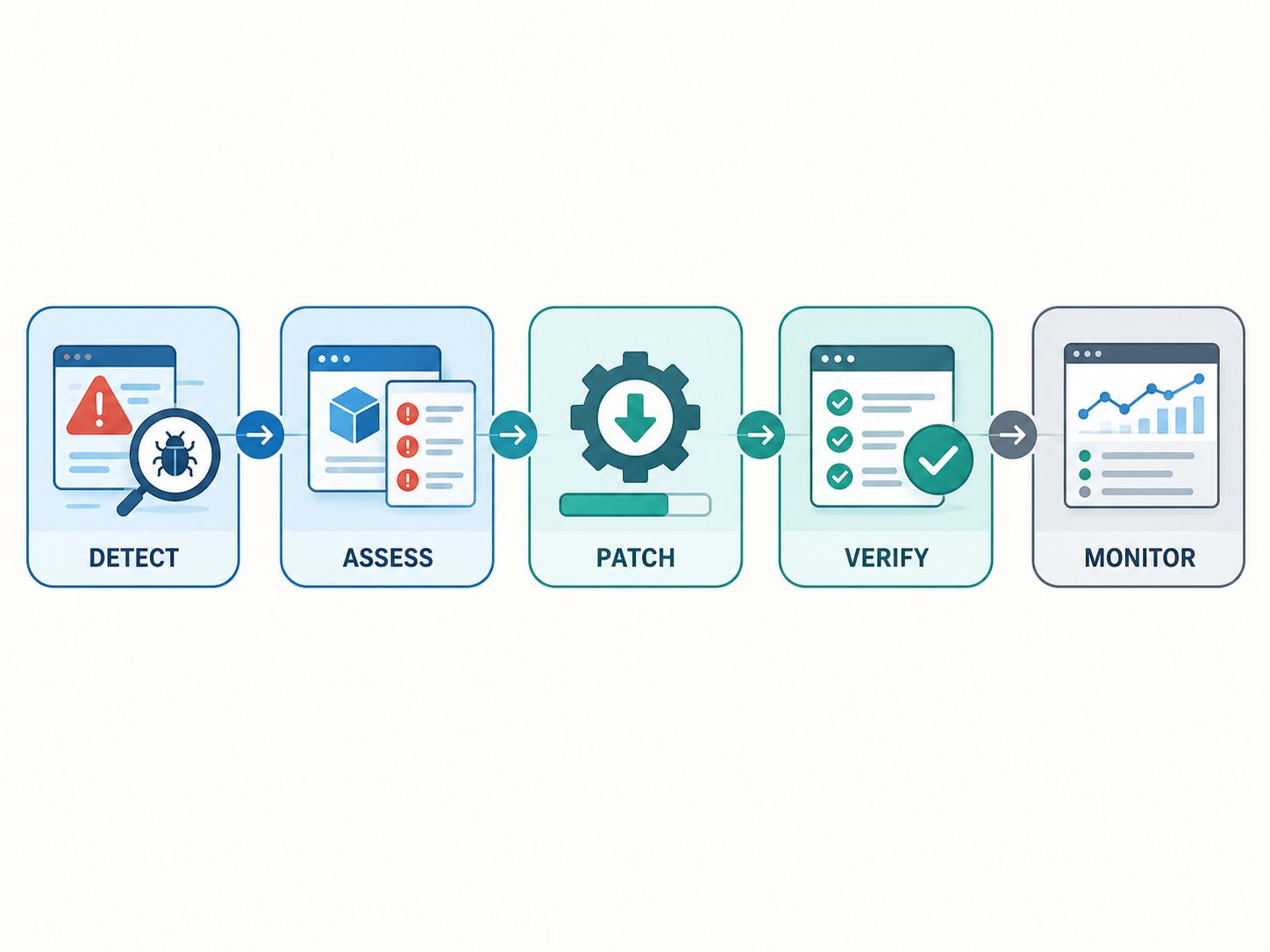
It is how quickly your organization can identify a relevant vulnerability, apply the appropriate correction, verify the result, and recover if something goes wrong.
A security patch that remains unapplied for months provides little protection.
When Is Umbraco a Better Security Choice?
Umbraco deserves serious consideration when the organization has both the need and the resources to maintain a customized .NET application.
For example, an enterprise may already use Microsoft Entra ID, centralized logging, internal .NET services, and a security-reviewed deployment pipeline.
Building its public website on Umbraco may allow the team to reuse established technical practices.
That can simplify governance and reduce the number of disconnected technologies its developers must maintain.
However, Umbraco may not be the best choice for a small organization without .NET expertise.
A technically capable CMS becomes harder to operate safely if routine updates require specialists the business cannot access reliably.
When Is WordPress the Better Security Choice?
WordPress is often a practical choice for companies that need flexible publishing, a manageable maintenance process, and broad access to professional support.
A company operating a service website, blog, or content-driven ecommerce platform may benefit more from dependable WordPress maintenance than from rebuilding its entire application.
This is especially true if its security concerns can be addressed through updates, access controls, code reviews, and improved hosting.
But there is a limit.
If the website relies on deeply customized functionality that is difficult to maintain, the organization should assess whether its existing architecture still makes sense.
The right decision should account for technical debt, not only the current CMS.
Should You Stay on WordPress or Migrate to Umbraco?
Do not migrate solely because somebody describes Umbraco as more secure. First identify what needs to change and whether the existing platform prevents that change.
The decision usually falls into one of three categories.
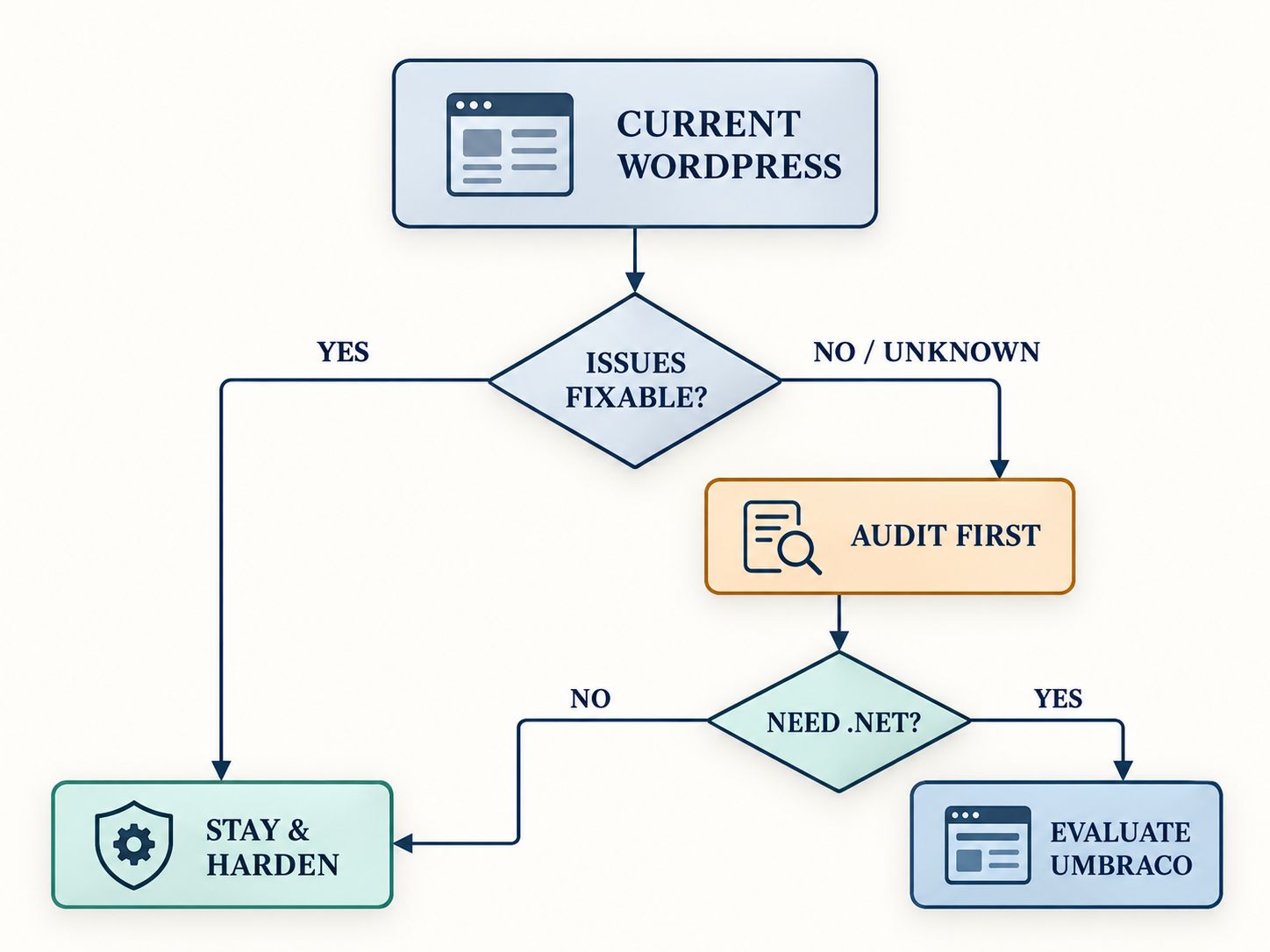
Stay and Harden WordPress
This makes sense when the current CMS meets your functional requirements and known risks can be addressed with appropriate maintenance.
Examples include replacing unsupported plugins, implementing stronger authentication, and moving to professionally managed hosting.
Investigate Before Deciding
This is appropriate when the website has experienced repeated compromises or the cause of its security problems remains unclear.
A proper incident investigation may identify compromised accounts, vulnerable components, unsafe deployments, or hosting problems.
Changing CMS platforms before determining the cause can waste money without solving the actual issue.
Evaluate an Umbraco Migration
A migration may be justified when your company wants to consolidate around .NET, needs specialized application architecture, or has governance requirements that are easier to implement in its existing enterprise environment.
The decision should be supported by a technical assessment and realistic cost estimate.
A successful migration must account for content, redirects, search visibility, custom functionality, identity integration, and ongoing maintenance.
For organizations considering the opposite migration direction, the Umbraco to WordPress migration guide provides additional context on moving between the two platforms.
A Practical Security Audit Before Choosing Either CMS
Use the following checklist when reviewing an existing website or evaluating a new implementation.
10-Point CMS Security Checklist
- All CMS versions and dependencies are supported.
- Security updates are applied and verified.
- Privileged accounts use strong authentication.
- Permissions follow least-privilege principles.
- Third-party packages and custom code are reviewed.
- Hosting and server software are maintained.
- Forms, uploads, and APIs have appropriate security controls.
- Backups are isolated and restoration has been tested.
- Logs and security alerts are monitored.
- An incident-response procedure is documented.
This checklist is not a penetration test or security certification. Its purpose is to help website owners identify areas that deserve further investigation.
If critical controls are missing, address them before investing in a large platform migration.
A structured WordPress website quality control process can help teams establish consistent testing and verification practices.
What About Enterprise Compliance and Data Protection?
Neither CMS provides automatic GDPR compliance, nor does choosing a particular programming language resolve regulatory obligations.
An organization must evaluate how information is collected, stored, accessed, transferred, retained, and deleted.
For example, an EU business using a contact form must understand its data-processing practices regardless of whether the form runs on WordPress or Umbraco.
A US organization with specific industry requirements may need additional access controls, logging, vendor agreements, or assessments.
The correct implementation depends on the data involved and the applicable legal requirements.
For businesses considering alternative content platforms, WebPlatformLab’s existing CMS and website platform comparisons provide broader context on technology selection.
Our Assessment: What Matters More Than the CMS Name?
The most important factor is the ability to maintain the website securely throughout its lifecycle.
Imagine choosing Umbraco because your company wants fewer third-party extensions.
That may be a reasonable architectural decision. But if the business does not have the resources to maintain its .NET application, the supposed security benefit could disappear.
Now imagine keeping WordPress because your marketing team depends on it.
That decision can also be reasonable, provided the company treats plugin maintenance, hosting, account permissions, and security testing as ongoing responsibilities.
The key is alignment between the platform and the people maintaining it.
Our recommendation: Keep a well-maintained WordPress installation when it continues to meet your needs. Evaluate Umbraco when there are genuine architectural, development, or governance reasons to change.
For high-risk applications, make the final decision only after a qualified security assessment.
Frequently Asked Questions
Is Umbraco more secure than WordPress?
Umbraco may offer advantages in controlled enterprise development environments, but WordPress can also provide strong security. Actual protection depends on configuration, dependencies, hosting, updates, and operational practices.
Is Umbraco better than WordPress?
Umbraco may be better suited to organizations with .NET development expertise and complex custom requirements. WordPress is often more practical for publishing-focused businesses and organizations that benefit from managed hosting and extensive integrations.
Which CMS is better than WordPress?
There is no universal winner. Drupal, Umbraco, and other CMS platforms can be more appropriate for particular projects, depending on architectural requirements, development expertise, and maintenance needs.
Is WordPress safe from hackers?
WordPress can be protected against many common attacks through updated software, secure hosting, strong authentication, restricted permissions, and active monitoring. No CMS can guarantee immunity from compromise.
Is NASA using WordPress?
Some NASA-related web properties have used WordPress, but different departments and projects may use different systems. The use of a CMS by a major organization is not proof that it is automatically secure.
Does Umbraco have security vulnerabilities?
Yes. Umbraco has published and patched vulnerabilities, including issues addressed in October 2026. Administrators should review security advisories and maintain supported versions.
Is .NET more secure than PHP?
Neither technology automatically produces secure applications. Security depends on development practices, application frameworks, code quality, dependencies, hosting, and maintenance.
Can WordPress meet enterprise security requirements?
Yes, depending on the requirements and implementation. Enterprise WordPress environments can use managed infrastructure, identity integrations, structured deployment processes, and extensive security monitoring.
Should I migrate from WordPress after a hacking incident?
Not necessarily. Investigate the source of the compromise first. The problem may involve vulnerable extensions, credentials, hosting, or custom code rather than an inherent limitation of WordPress.
Final Verdict
Umbraco is a capable CMS for organizations that want developer-controlled architecture and close integration with the .NET ecosystem.
WordPress remains a viable security-conscious choice for businesses that value flexible publishing, established maintenance services, and a large development community.
Neither is inherently safe from vulnerabilities.
If you already run WordPress, start with a security audit rather than an automatic migration. If you’re planning a new enterprise application, compare both platforms against your technical requirements, budget, and available expertise.
The more secure CMS is the one your organization can configure correctly, maintain consistently, monitor effectively, and recover when something goes wrong.