
If you want to block Ahrefs in .htaccess, you can use a short Apache rule to deny requests identifying themselves as AhrefsBot. The rule returns HTTP 403 Forbidden, without intentionally blocking Googlebot or regular website visitors. Use the free generator below to create your rule, then follow the installation and testing instructions to make sure it works without disrupting your website.
Free Ahrefs .htaccess Rule Generator
Generate a rule for your entire website, one URL, or a particular directory. You can also choose whether to block the main Ahrefs crawler, its Site Audit crawler, or both.
The generated rule is intended for use in the document-root .htaccess file. If your website uses Nginx, or your hosting provider does not allow Apache rewrite directives, the rule will not work as written.
This guide provides the Apache configuration needed to block AhrefsBot. Before installing any rule, confirm your hosting environment supports Apache-compatible rewrite directives. You can investigate your website’s technology stack using the Website Technology Checker.
How to Block AhrefsBot Using .htaccess
You can block requests identifying themselves as AhrefsBot with this configuration:
<IfModule mod_rewrite.c>
RewriteEngine On
RewriteCond %{HTTP_USER_AGENT} AhrefsBot [NC]
RewriteRule ^ - [F,L]
</IfModule>
The rule checks the incoming user-agent header. If that header contains AhrefsBot, the server responds with HTTP 403.
Here is what the important parts mean:
| Configuration | Purpose |
|---|---|
RewriteEngine On |
Enables rewrite processing |
HTTP_USER_AGENT |
Checks the visitor’s declared user agent |
AhrefsBot |
Identifies the user-agent text to match |
[NC] |
Makes the match case-insensitive |
[F,L] |
Returns 403; [F] already implies [L] |
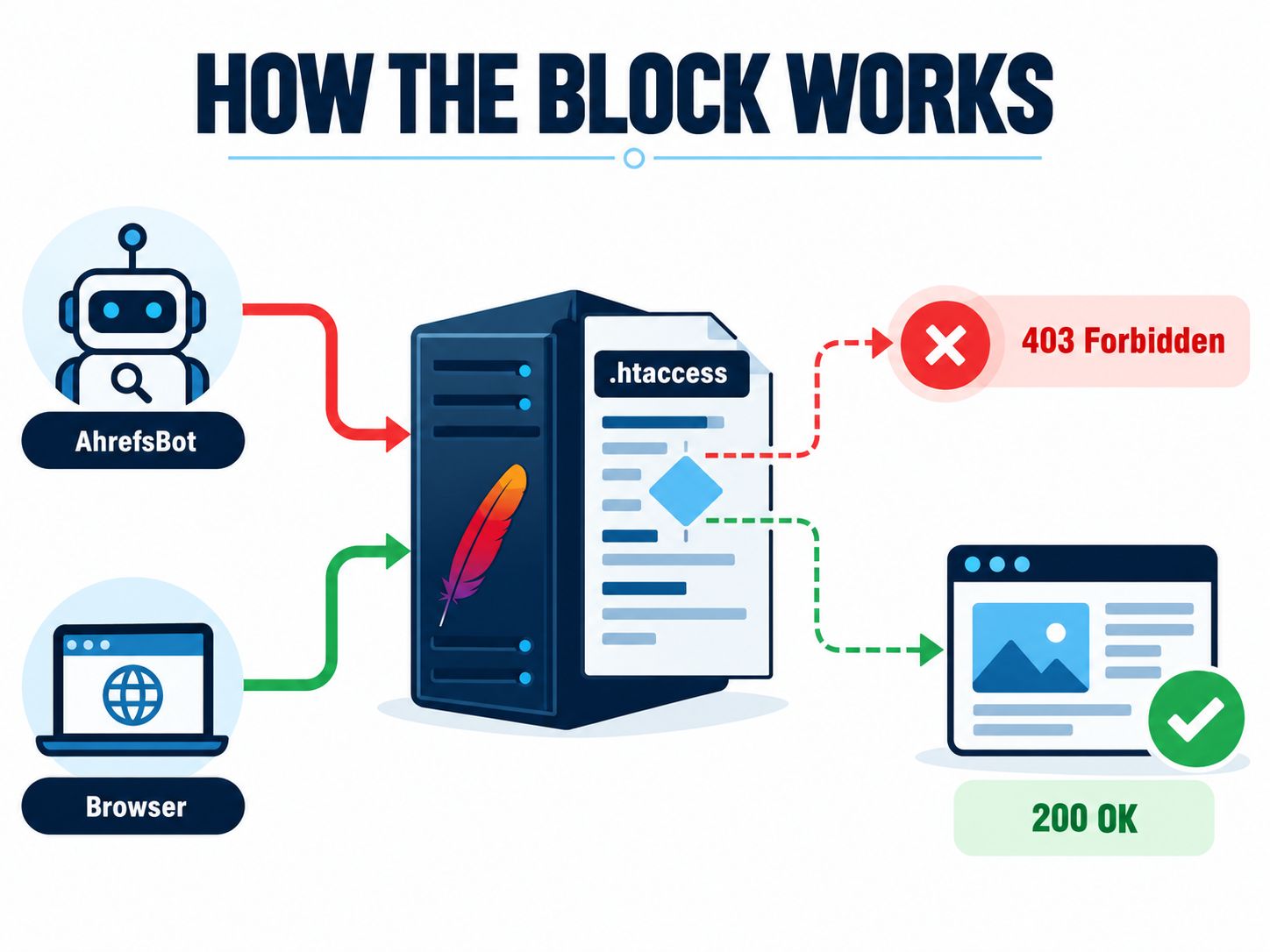
This is a user-agent filter, not a way to verify that a request genuinely comes from Ahrefs. Anyone can send a request claiming to be AhrefsBot.
How to Install the Rule on WordPress
If you use WordPress with Apache-compatible hosting, the process is straightforward. The part that deserves care is editing .htaccess, since one invalid directive can affect the entire website.
1. Locate the file
Open your hosting File Manager or use SFTP. In many shared-hosting installations, the file is located at:
public_html/.htaccessEnable hidden-file visibility if the file does not appear.
2. Download a backup
Save the existing .htaccess file before editing. It may contain important redirects, security rules and permalink settings.
If you manage a WordPress website, the WordPress architecture guide provides additional technical context about the CMS.
For a safer testing environment, the WordPress staging setup guide explains how to work with a separate staging installation before applying changes to production.
3. Add the custom rule
Place the rule above the WordPress-managed section:
# BEGIN Custom AhrefsBot Block
<IfModule mod_rewrite.c>
RewriteEngine On
RewriteCond %{HTTP_USER_AGENT} AhrefsBot [NC]
RewriteRule ^ - [F,L]
</IfModule>
# END Custom AhrefsBot Block

# BEGIN WordPress
# Keep your existing WordPress rules unchanged.
# END WordPress
The WordPress section in this example is only a placement illustration. Preserve the actual directives in your site’s file.
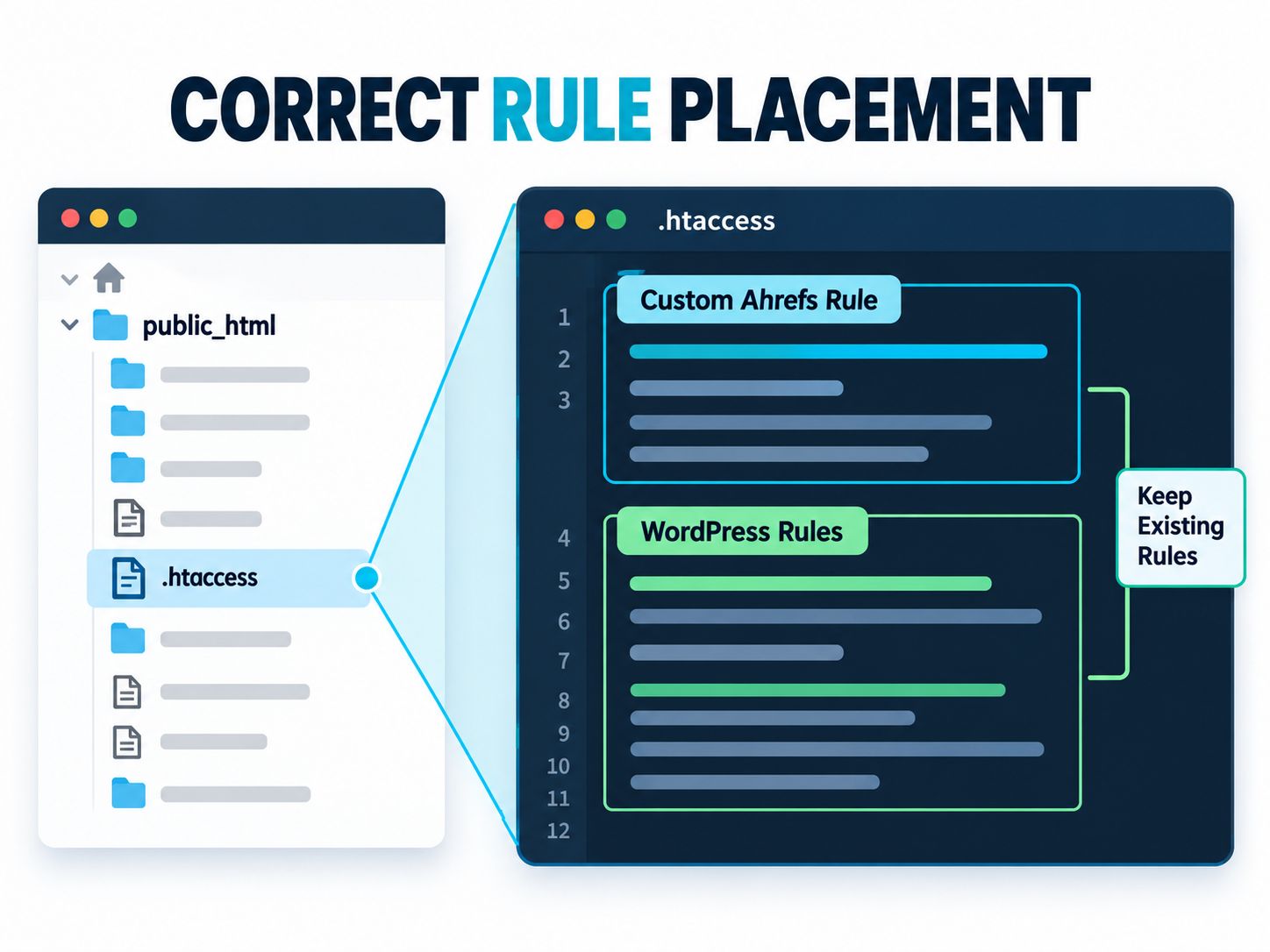
Do not replace your existing WordPress rewrite rules with the example shown above. Only insert the custom AhrefsBot block and keep your original configuration intact.
4. Save and check your website
Visit your homepage and several internal URLs using a normal browser. Check that pages, images, CSS and normal navigation continue working.
If you get a 500 Internal Server Error, restore your backed-up file and check the hosting error log.
For a broader post-deployment review, follow the WordPress website quality control guidance to check that important website functionality remains intact.
How to Test Whether AhrefsBot Is Blocked
Don’t assume the rule works just because the website still loads.
A useful test compares a request identifying itself as AhrefsBot with a normal request to the same URL.
Run:
curl -s -o /dev/null -w "%{http_code}\n" \
-A "AhrefsBot" https://example.com/
Replace example.com with your own domain.
If the rule is operating as intended, the response should be:
403Now make an ordinary browser-style request:
curl -s -o /dev/null -w "%{http_code}\n" \
-A "Mozilla/5.0" https://example.com/
A public, healthy homepage commonly responds with 200, although redirects or other valid responses are possible.
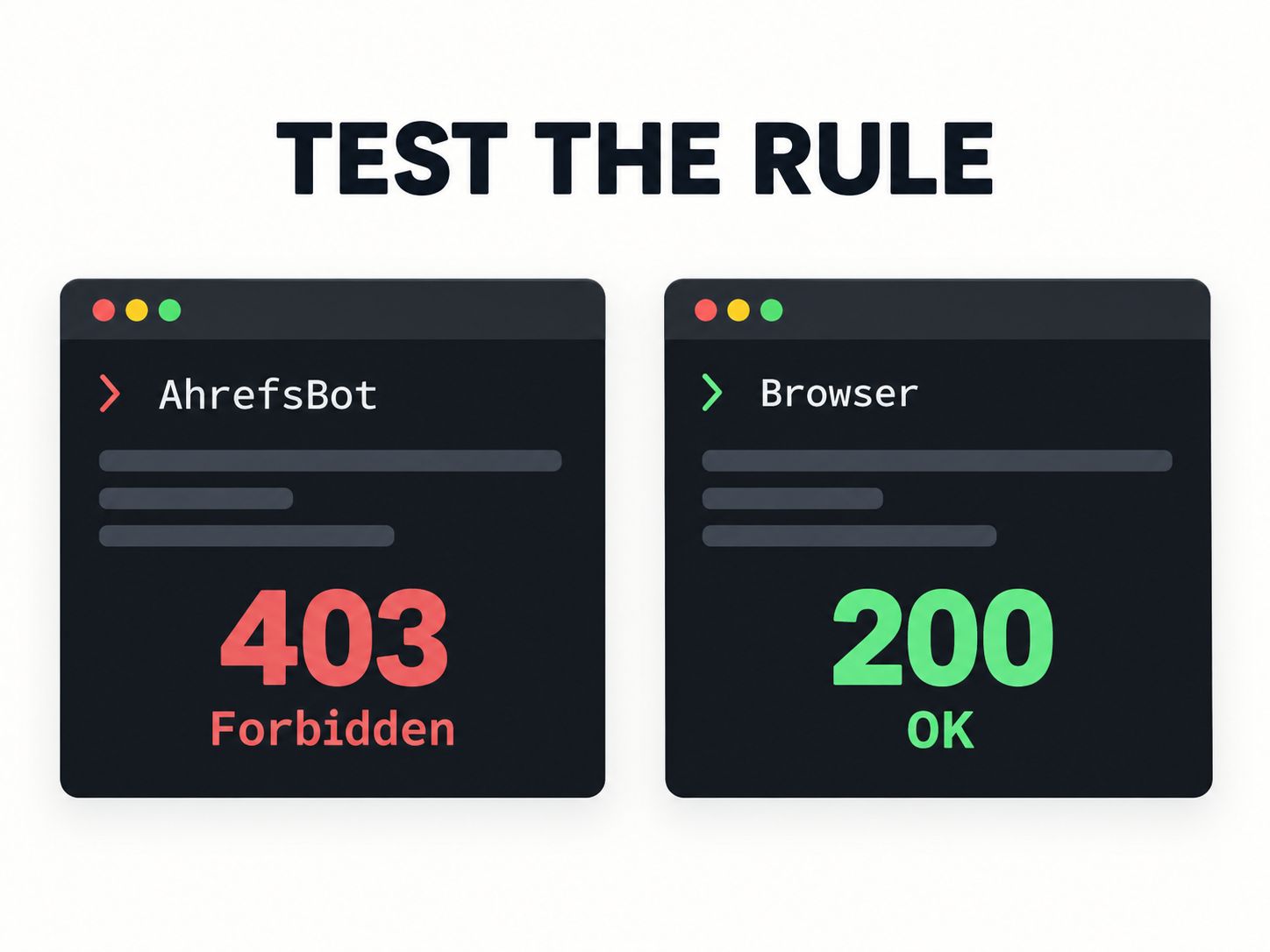
What do the test results tell you?
A 403 response shows that your rule denied that particular request. To verify actual Ahrefs activity, inspect server logs and compare incoming IP addresses against Ahrefs’ published crawler information.
A successful bot-blocking configuration should deny matching crawler requests without disrupting regular visitors. Test both cases before treating the installation as complete.
Should You Block AhrefsBot or AhrefsSiteAudit?
Before blocking anything, check which Ahrefs crawler you actually want to stop.
Ahrefs operates two primary crawlers with different purposes.
| Crawler | What it does | Considerations |
|---|---|---|
| AhrefsBot | Collects web and link information for Ahrefs services and Yep | Blocking may reduce data freshness and visibility in those services |
| AhrefsSiteAudit | Crawls websites to identify technical and on-page issues | Blocking can interfere with your own Site Audit projects |
If you only want to stop the main crawler, the original rule is sufficient.
If you intentionally want to block both, use:
<IfModule mod_rewrite.c>
RewriteEngine On
RewriteCond %{HTTP_USER_AGENT} (AhrefsBot|AhrefsSiteAudit) [NC]
RewriteRule ^ - [F,L]
</IfModule>
One detail matters: AhrefsSiteAudit respects robots.txt by default, but verified site owners can allow that crawler to bypass robots restrictions during an audit. The origin-level access rules you configure are a separate matter.
Ahrefs explains these behaviors in its official crawler documentation.
Is robots.txt Better Than .htaccess?
For most owners who simply want legitimate AhrefsBot traffic to stop, robots.txt is the easiest starting point.
Add these instructions to your existing robots.txt file:
User-agent: AhrefsBot
Disallow: /
Ahrefs states that AhrefsBot respects robots instructions. The crawler may need time to retrieve an updated file.
If your concern is crawl frequency rather than complete blocking, request a delay:
User-agent: AhrefsBot
Crawl-delay: 10
This asks for a ten-second delay between relevant crawler requests. JavaScript rendering can trigger multiple asset requests, so it is not an absolute limit on every HTTP request.
Which approach makes sense for your website?
| Situation | Recommended approach |
|---|---|
| You simply don’t want AhrefsBot crawling | robots.txt |
| AhrefsBot requests are too frequent | Crawl-delay and log monitoring |
| You need to deny matching requests at origin | .htaccess |
| Your site uses Nginx | Nginx configuration or edge firewall |
| You are dealing with abusive automated traffic | Firewall, rate limits and verified traffic analysis |
| You still need Ahrefs Site Audit | Avoid unnecessarily blocking AhrefsSiteAudit |
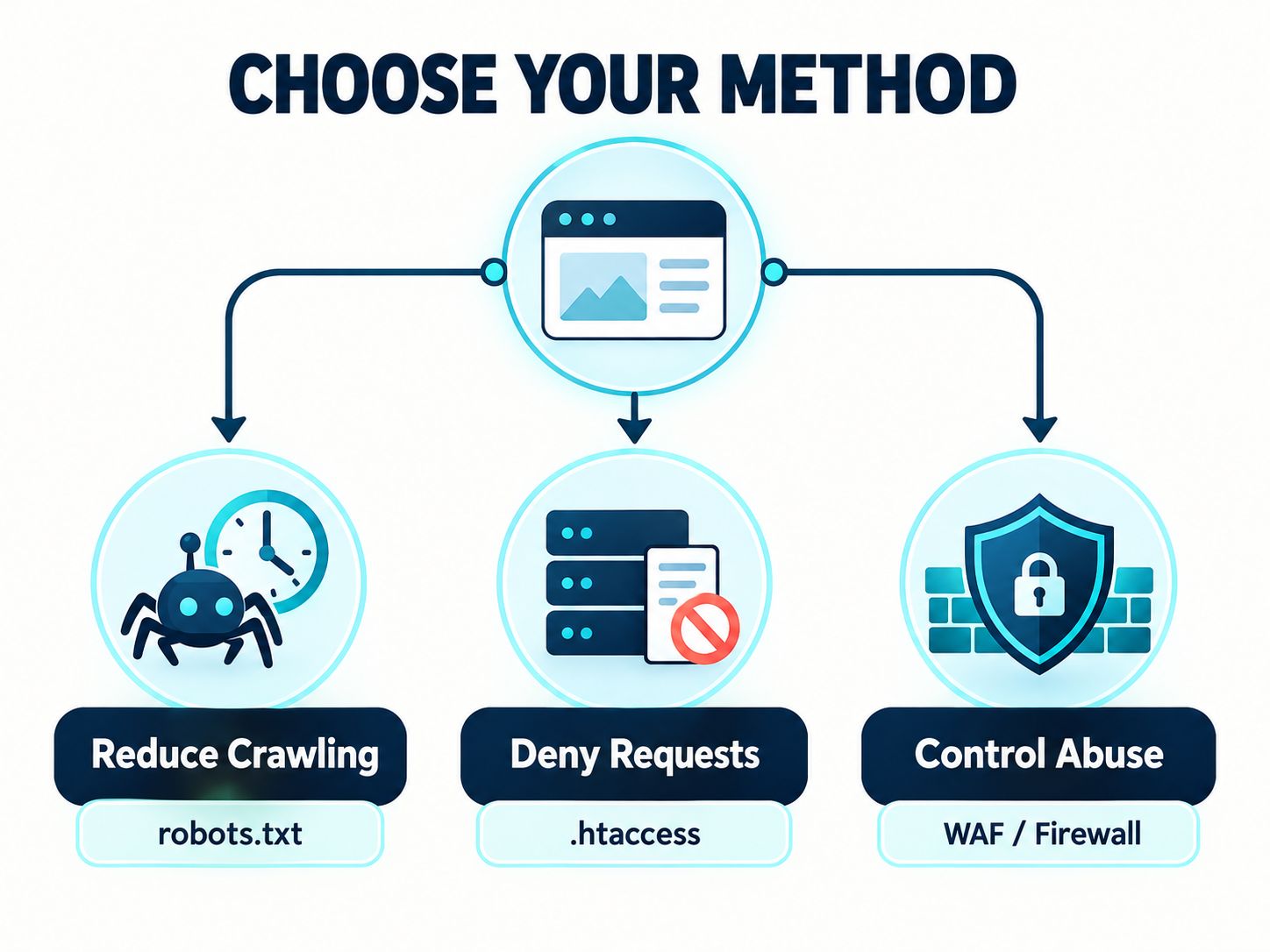
If you need guaranteed protection for private content, none of these user-agent rules is sufficient on its own. Use proper access authentication.
How to Block AhrefsBot From One Page or Directory
A site-wide block is not always necessary.
For example, suppose you want to block requests for:
https://example.com/private-report/You can use:
<IfModule mod_rewrite.c>
RewriteEngine On
RewriteCond %{HTTP_USER_AGENT} AhrefsBot [NC]
RewriteRule ^private-report/?$ - [F,L]
</IfModule>
This matches the exact URL path with or without a trailing slash.
If you also want to block child paths, use:
<IfModule mod_rewrite.c>
RewriteEngine On
RewriteCond %{HTTP_USER_AGENT} AhrefsBot [NC]
RewriteRule ^private-report(/|$) - [F,L]
</IfModule>
Both examples assume your rules are placed in the document-root .htaccess file. Paths are interpreted differently when rewrite rules sit inside another directory.
This is useful when one section receives excessive crawler requests but you want the rest of your website to remain available.
Does Blocking AhrefsBot Affect Google Rankings?
Blocking AhrefsBot does not directly instruct Google to remove your website from its index. Googlebot is a different crawler.
A rule that specifically matches AhrefsBot should not block Googlebot because of that user-agent condition.
Still, there are trade-offs.
AhrefsBot contributes information to Ahrefs and Yep. Blocking it can limit what those services collect from your own pages. It can also make your website information less complete or less current in Ahrefs reports.
And blocking AhrefsBot does not hide every backlink pointing to your website. The crawler may still discover a link when visiting the external page that contains it.
If you’re auditing a website’s broader search performance, the 301 redirect and SEO guide explores another important technical SEO issue affecting website migrations and search visibility.
For additional SEO-related resources, explore the SEO and metadata tools or browse the WebPlatformLab technical blog.
Does .htaccess Work on Every Hosting Server?
No. Support depends on which server handles the request.
| Server | Support for the example |
|---|---|
| Apache | Yes, if rewrite processing and relevant overrides are enabled |
| LiteSpeed Web Server | Generally supports compatible Apache rewrite directives |
| OpenLiteSpeed | Configuration-dependent |
| Nginx | No native .htaccess support |
| Cloudflare | Can apply independent edge-level filtering |
For Nginx websites, a server administrator can configure equivalent user-agent matching within the Nginx configuration.
Do not paste Apache directives into an Nginx configuration file.
If you’re unsure about your stack, check the hosting dashboard or ask your provider before modifying server files.
For further information about different website delivery architectures, see server-side rendering versus static islands and the website architecture resources.
Why Is AhrefsBot Still Crawling After the Rule Is Added?
If the rule appears to have no effect, start with the simplest explanation: the server may not be reading it.
Check the following possibilities.
| Problem | What to investigate |
|---|---|
| AhrefsBot receives 200 | Wrong file location, missing rewrite support or incorrect rule scope |
| Website returns 500 | Invalid directive, configuration conflict or unsupported override |
| AhrefsSiteAudit still crawls | Only the AhrefsBot identifier was blocked |
| Logs continue showing Ahrefs requests | Verify user agents, source IPs, timestamps and response codes |
| The site uses Nginx | .htaccess is not processed |
| A CDN returns unexpected responses | Check whether the CDN handles requests before Apache |
Remember that access logs may still contain blocked requests. An entry with a 403 response can actually indicate the rule is functioning.
The goal is not necessarily to make every bot request disappear from the logs. The goal is to return the intended response without interfering with legitimate traffic.
Will Blocking AhrefsBot Improve Website Speed?
Possibly, but only if AhrefsBot requests represent a meaningful portion of your site’s workload.
For example, a request to a heavily cached page may use very few origin resources. A request to a dynamic page that triggers multiple database queries can be more expensive.
Before deciding to block a crawler for performance reasons, check its request frequency, the URLs accessed, response times and resource usage.
If you’re already investigating server load, treating crawler activity as one factor rather than the only cause is more productive.
For deeper performance troubleshooting, see optimizing Core Web Vitals on shared hosting. You can also explore the website performance guides and performance auditing tools.
Common Mistakes to Avoid
Blocking all bots when only one is causing a problem. A broad regular expression can accidentally affect crawlers or integrations you still need.
Copying outdated IP addresses. Verify crawler IP information against the publisher’s current records rather than relying on lists from old forums.
Replacing WordPress rewrite rules. Insert custom directives without deleting the rules already managing your permalinks.
Assuming robots.txt is an access-control system. It provides instructions to cooperating crawlers; it does not make a public page private.
Failing to test after deployment. A normal browser check and a crawler-header check provide complementary information.
Assuming the block hides backlinks. External websites remain outside your control, and their links may still be discovered.
Keep a backup of your original .htaccess file, test custom rules on a staging website when possible, and verify HTTP responses before deploying changes widely. You can find additional implementation guidance in the WebPlatformLab tutorials.
Frequently Asked Questions
How do I block AhrefsBot using .htaccess?
Add an Apache rewrite condition matching AhrefsBot and a rewrite rule using [F,L]. Place the code in your document-root .htaccess file and verify that a matching request receives HTTP 403.
Can I block AhrefsBot but allow Googlebot?
Yes. Match AhrefsBot specifically rather than using a generic rule for every crawler. Test requests using both identifiers before considering the configuration complete.
Does AhrefsBot respect robots.txt?
Ahrefs states that it respects robots.txt instructions, including supported disallow and crawl-delay rules. Updates may require time to be discovered.
Can I block only one page?
Yes. Use a path-specific rewrite pattern instead of the site-wide ^ pattern. Make sure the rule is placed in the correct directory context.
Why am I still seeing AhrefsBot in my server logs?
Blocked requests can still appear in access logs with a 403 response. Check the response code and whether the requests are reaching the server rather than relying only on the number of log entries.
Can I use these rules on Hostinger?
That depends on the web server and configuration of your particular hosting plan. Apache-compatible rewrite rules are commonly supported on LiteSpeed-based hosting, but the correct behavior should be confirmed on your account.
Will blocking AhrefsBot remove my backlinks from Ahrefs?
No. Ahrefs may discover backlinks on other websites, and previously collected data does not necessarily disappear.
How can I unblock AhrefsBot?
Remove the custom rule from .htaccess, save the file, and repeat the HTTP tests. If the request remains blocked, inspect other hosting or CDN restrictions.
Final Recommendation
If your only concern is unwanted AhrefsBot crawling, start with robots.txt. It’s easier to maintain and is supported by Ahrefs.
If you need the web server to deny requests identifying themselves as AhrefsBot, the .htaccess method offers more direct control. Generate the rule, keep a backup, install it outside the WordPress-managed section, and verify the response before treating the job as complete.
The most important distinction is between blocking a request, verifying a crawler, and protecting your website. Those are different tasks, and each requires the appropriate controls.
Have you used .htaccess, robots.txt, or Cloudflare to restrict AhrefsBot? Share your server environment and what happened in the comments. Your results may help other site owners identify the right solution.