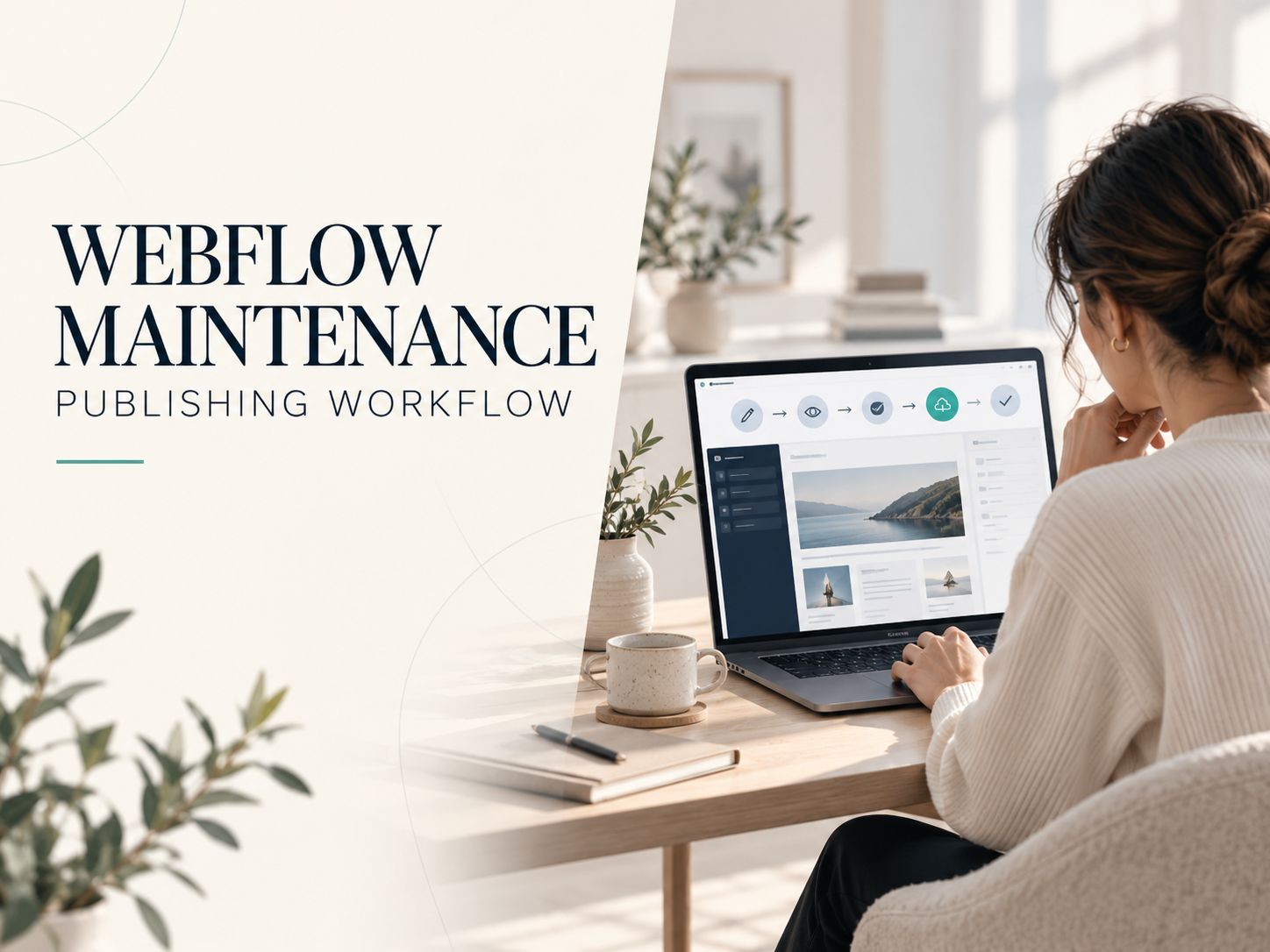
Webflow can be surprisingly easy to maintain when your website is built for everyday business use. You can update service descriptions, publish articles, replace images, and manage basic SEO without hiring a developer for every change. But the experience changes when custom integrations, complicated layouts, or frequent redesigns enter the picture. This review evaluates Webflow maintenance for non-technical owners, including what you can handle yourself, the real costs, the limitations, and how to decide whether ongoing support is worthwhile.
Is Webflow Actually Low Maintenance?
Yes. Webflow is a relatively low-maintenance platform for small business websites, portfolios, and structured content websites. Most infrastructure maintenance happens behind the scenes, while owners concentrate on content and website operations.
Consider a business owner who wants to change a service price on Monday, publish a testimonial on Wednesday, and replace a homepage photograph on Friday.
None of those changes should require a developer if the website has been built properly.
Now consider a different situation. That same owner wants to introduce a customer portal, change the booking process, or connect an unfamiliar API.
Webflow doesn’t automatically make those projects beginner-friendly.
That distinction is central to evaluating the platform. Webflow reduces the technical responsibilities of website ownership, but it doesn’t remove the need for technical expertise when your requirements become complex.
Webflow Maintenance Verdict
| Evaluation Area | What Owners Should Expect |
|---|---|
| Hosting maintenance | Mostly handled by Webflow |
| Content updates | Usually manageable after training |
| Blogging and CMS | Straightforward with existing templates |
| SEO changes | Basic tasks are manageable |
| Responsive layout changes | Require more design knowledge |
| Forms and integrations | May need troubleshooting |
| Backups | Automatic restore points, with limitations |
| Ongoing developer contract | Optional for most simple websites |
Our assessment: Webflow is a strong option when you want to run a website rather than administer its hosting infrastructure. The quality of the original build still matters enormously.
Who Is Responsible for Maintaining a Webflow Website?
Webflow and the website owner have different responsibilities. Understanding the boundary prevents two common mistakes: paying for maintenance you don’t need and assuming nobody needs to check your website.
Webflow manages its hosting infrastructure, platform software, and much of the underlying technical environment.
You don’t have to maintain a traditional WordPress installation, regularly update its plugins, or manage server-level software simply to keep a standard Webflow website running.
However, Webflow cannot know whether your business has changed its opening hours or whether your contact form is sending inquiries to the wrong employee.
These are your responsibilities.
| Webflow Generally Manages | Website Owner Manages |
|---|---|
| Hosting infrastructure | Service and product information |
| Platform-level software updates | Contact details and pricing |
| Platform-level security maintenance | Account access and permissions |
| Managed delivery infrastructure | SEO content and page quality |
| Platform availability systems | Forms and external integrations |
| Platform backup functionality | Recovery planning and verification |
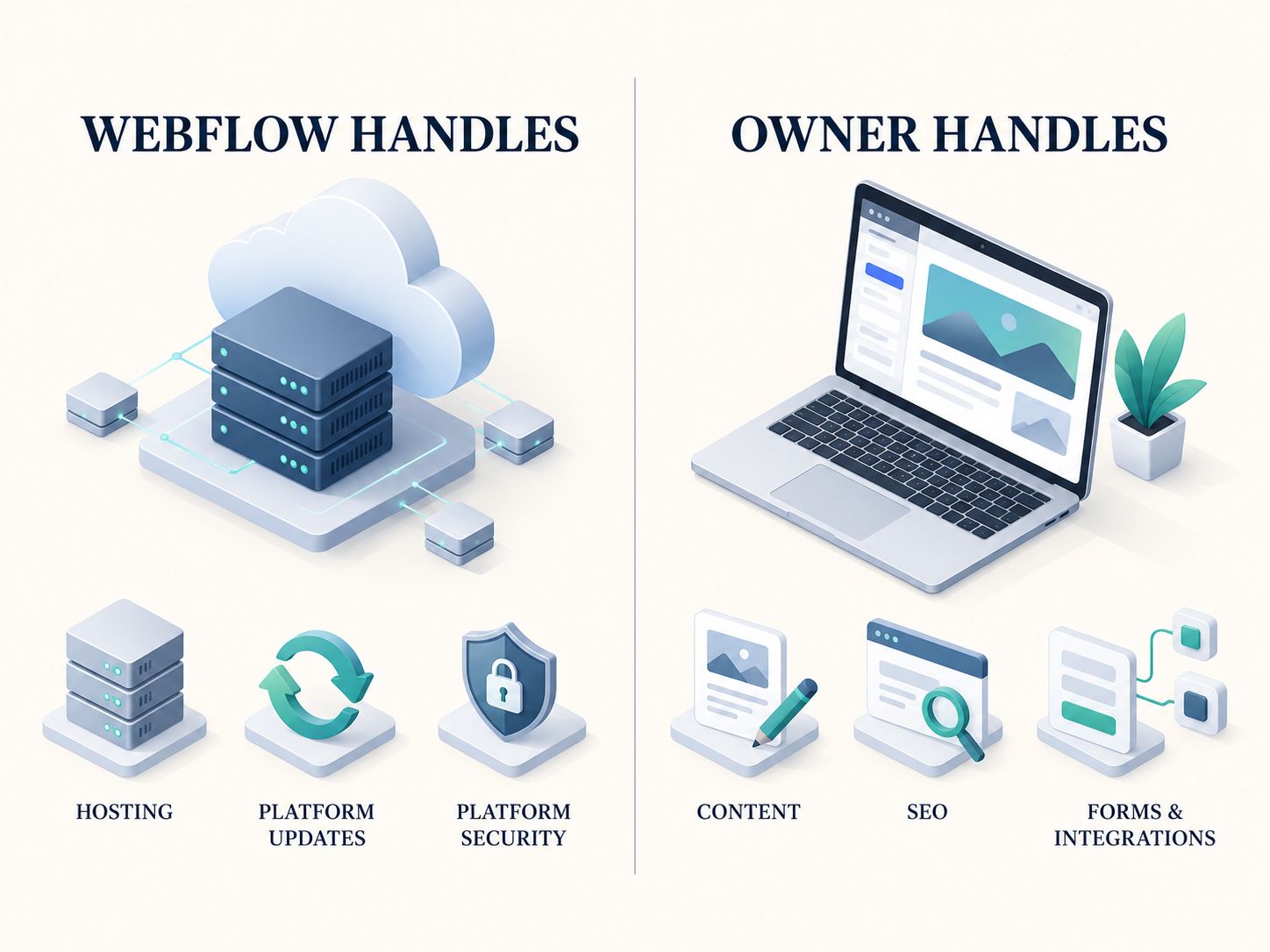
Notice that both sides have work to do.
For example, Webflow can host a contact form, but your team must still make sure submissions reach the right person.
Similarly, the platform can deliver a page quickly, but an oversized hero image or poorly implemented third-party script may still affect performance.
If you’re unfamiliar with the differences between hosted and self-hosted systems, start with the website architecture resources and compare them with our WordPress architecture analysis.
What Can You Maintain Without Hiring a Developer?
Most owners can learn to manage ordinary content. The challenge isn’t necessarily learning where the editing buttons are; it’s knowing which changes might affect other parts of the website.
Changing Text, Photos, and Business Information
These are the easiest tasks to manage.
If your company changes its opening hours, the task should be as simple as finding the relevant content, updating it, previewing the result, and publishing it.
Images are similar, although there is one extra consideration: a replacement photograph may have different proportions from the original.
A portrait image placed into a wide banner can look cropped or distorted.
You can use the calculators and estimators tools to explore available tools and prepare appropriately sized assets before uploading them.
Publishing Blog Posts and CMS Content
Webflow’s CMS works particularly well when similar pages share a consistent structure.
Imagine a real estate company publishing property listings.
Each listing uses fields for the property name, price, location, photographs, and description.
Once a developer has prepared the collection and template, staff can create new listings by completing the existing fields.
They don’t have to rebuild the layout.
However, changing the CMS structure or redesigning the listing template is a different responsibility and may require someone with stronger Webflow skills.
Updating the Website Design
This is where non-technical owners should be more cautious.
Webflow’s visual Designer can create sophisticated layouts, but those layouts still follow web design principles.
Changing a font size can alter line wrapping. Moving an element can affect spacing. Adjusting shared styles can change multiple pages.
You can learn these skills, but you shouldn’t assume that visual editing removes the need to understand responsive design.
For a closer look at visual website-building approaches, see our Webflow vs Framer comparison.
The Five-Task Test: Can You Really Maintain Your Webflow Site?
Before accepting a completed website, try performing five ordinary tasks yourself.
This is a practical handover exercise, not a standardized benchmark or the result of an independently conducted Webflow experiment.
-
Task 1: Change a sentence on a service page.
Can you find the correct field and change its content without disturbing the layout?
-
Task 2: Replace an image.
Can you upload a correctly sized photograph and confirm it displays properly on desktop and mobile?
-
Task 3: Publish a CMS item.
Can you add a blog post or other collection item using the prepared template?
-
Task 4: Change a page’s SEO information.
Can you locate the title and meta description settings and preview the changes?
-
Task 5: Test a contact form.
Can you submit a genuine test inquiry and confirm that it reaches the intended destination?
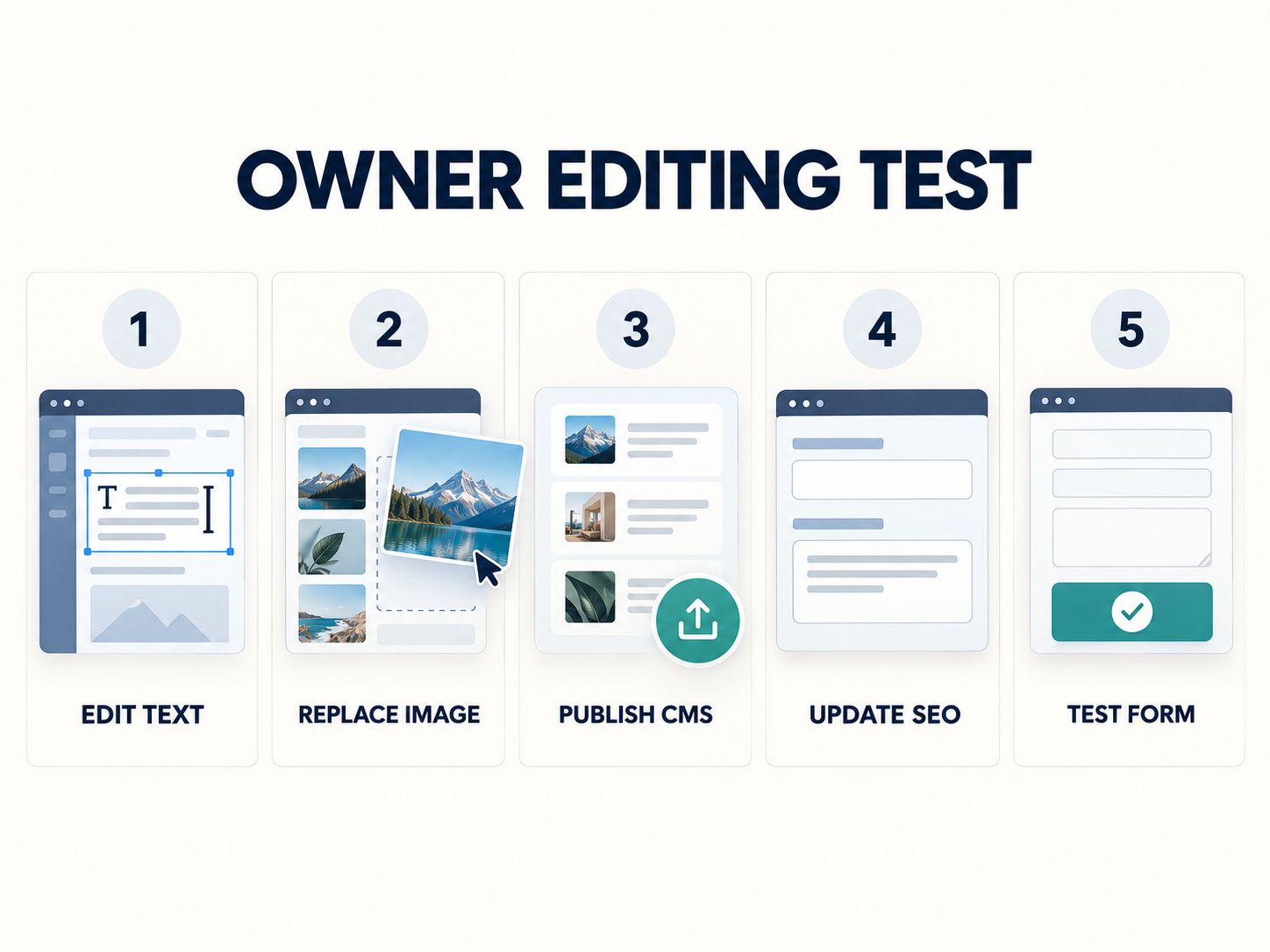
If you can complete these tasks after a brief handover, your website is probably manageable for routine operations.
If seemingly simple changes repeatedly require the original developer, investigate whether the site is poorly structured, the permissions are too restrictive, or the handover was incomplete.
A useful handover should include a short recording of these tasks, rather than only a promise that the site is easy to edit.
How Much Does Webflow Maintenance Cost in 2026?
Webflow ownership costs include the Site plan, any additional paid services or seats, and the time or professional assistance required to manage the website.
As of October 14, 2026, Webflow lists these plans for new purchases:
| Webflow Site Plan | Monthly Equivalent with Annual Billing | Billed Monthly |
|---|---|---|
| Basic | $15 | $25 |
| Premium | $25 | $39 |
Basic is intended for websites that don’t need Webflow CMS functionality. Premium includes CMS capabilities, with 20,000 CMS items and 40 CMS Collections under the updated 2026 plan.
Webflow also offers Ecommerce, Workspace, and enterprise-oriented options. Your total bill depends on what you need.
The prices above come from Webflow’s official pricing page. USD prices exclude applicable taxes and any additional services.
Do You Need Paid Editing Seats?
Not necessarily.
Webflow includes certain editing capabilities and seats within its Workspace arrangements, with additional seats available separately.
The current published annual-billing rates for additional seats include $15 per month for a Limited seat and $39 per month for a Full seat.
Before purchasing extra seats, check which permissions are already included in your Workspace and whether the person needs content-editing access or full design control.
What Does a Realistic Annual Budget Look Like?
Suppose you operate a CMS-based business website, maintain most content yourself, and occasionally hire a developer.
Here is an illustrative budget:
| Expense | Annual Allowance |
|---|---|
| Webflow Premium | $300 |
| Domain and additional services | $120 |
| Occasional developer assistance | $600 |
| Illustrative total | $1,020 |
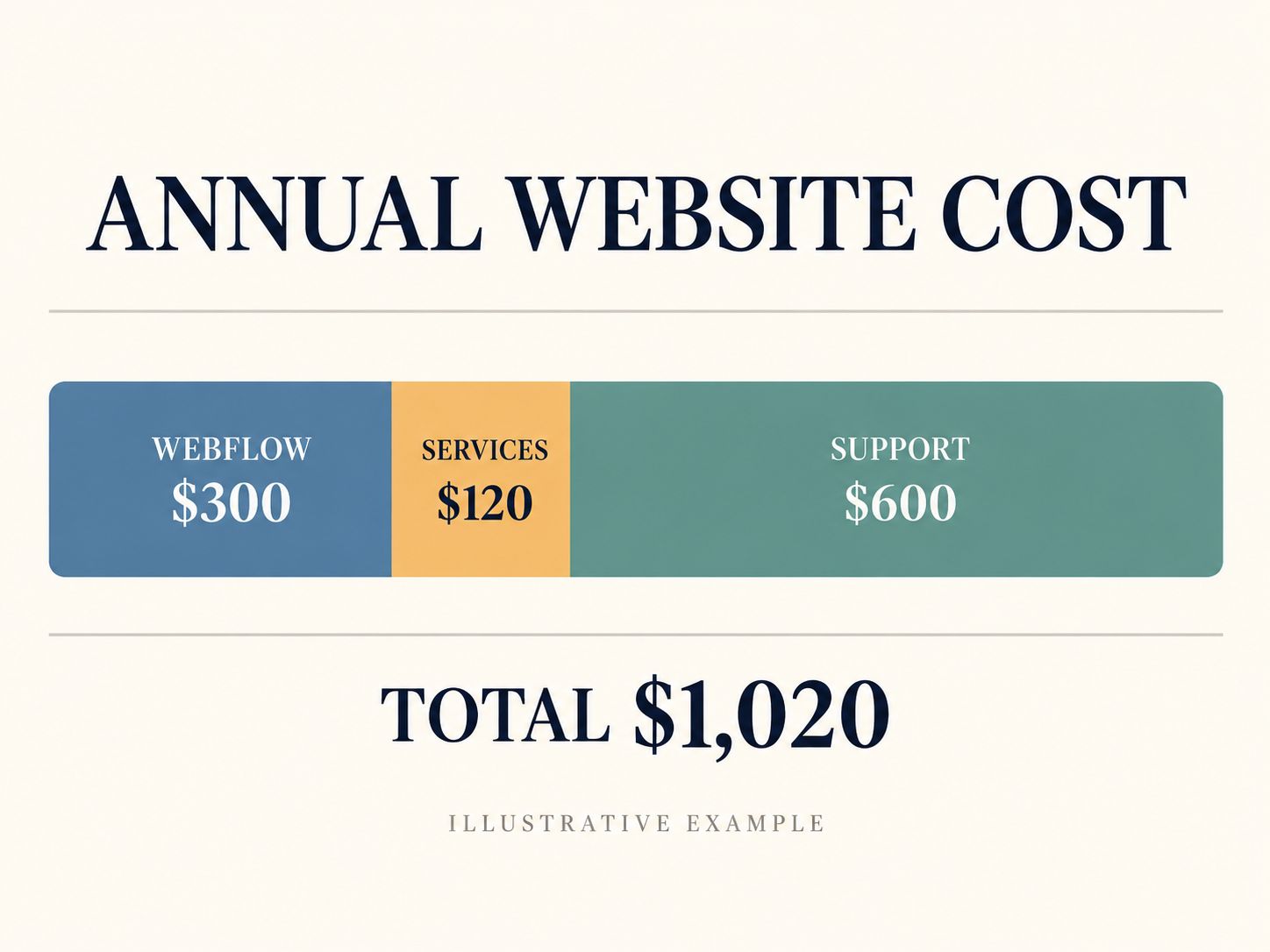
This isn’t a quote or industry average. The additional service and developer figures are assumptions to demonstrate budgeting.
A simple website might need considerably less professional assistance. A company with complicated functionality could spend substantially more.
The law firm website design cost guide provides another perspective on evaluating website expenses rather than focusing exclusively on monthly hosting.
Does Webflow Require an Ongoing Maintenance Contract?
No. A typical Webflow website doesn’t require a separate developer maintenance contract simply to keep the platform updated.
Whether you should pay for ongoing support is a business decision.
Think about what your website actually needs.
A portfolio that changes three times a year probably doesn’t need the same support arrangement as a lead-generation website launching new landing pages every week.
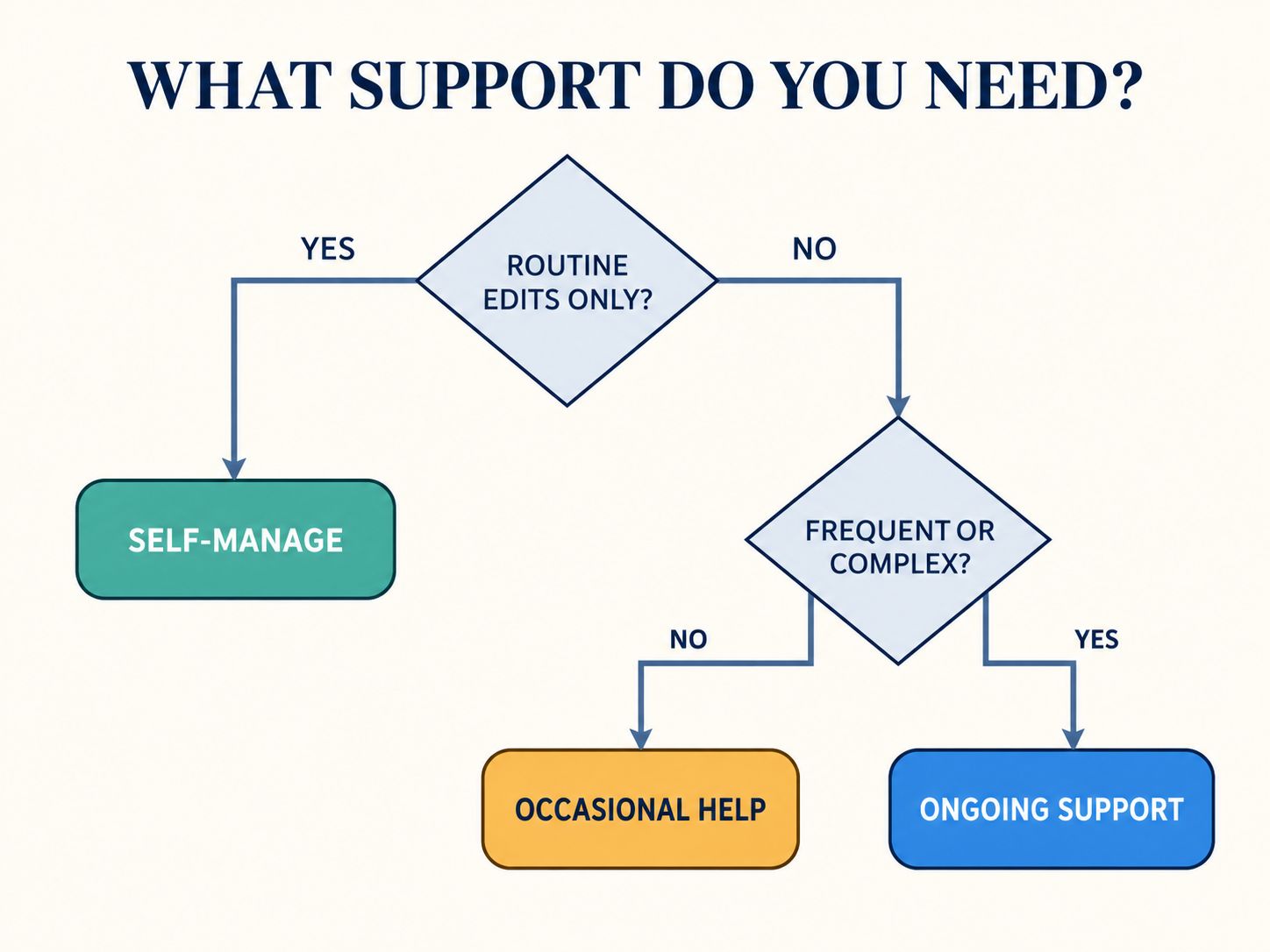
Here is a practical way to decide:
| Your Situation | Sensible Support Approach |
|---|---|
| Simple website, rare changes | Self-management |
| Occasional design adjustments | Freelancer when needed |
| Frequent marketing campaigns | Regular design support |
| Several important integrations | Defined technical support |
| Business-critical custom functionality | Ongoing specialist support |
What Should a Maintenance Contract Include?
If you decide to hire a developer or agency, ask for a clear service description.
It should explain which tasks are included, how many hours are available, how urgent problems are handled, and what happens when a request falls outside the agreed scope.
A vague promise to keep the site updated is not enough.
For example, if the contract includes form monitoring, ask whether the provider checks the actual delivery of inquiries or only verifies that the form appears on the page.
Those are different levels of service.
Key takeaway: Don’t buy a maintenance retainer because you assume Webflow needs one. Buy support because specific work needs to be done.
A Practical Webflow Maintenance Schedule
You don’t need to spend hours checking every setting each week.
Instead, establish a routine based on how important your website is to your business.
Weekly: Protect Customer Inquiries
Test important forms, look for obvious display problems, and review recently published information.
If your business depends heavily on appointments or sales inquiries, check those processes more frequently.
Monthly: Review Performance and Usability
Look at search performance, important links, mobile layouts, and any connected third-party services.
If a page has become noticeably slower, check recent image uploads, embedded media, and scripts.
Our B2B Website Speed guide explains how to distinguish meaningful performance problems from less important test results. You can also explore our Core Web Vitals optimization guide for additional website performance concepts.
Quarterly: Review the Complete Website
Examine older content, accessibility, account permissions, subscriptions, privacy information, and recovery procedures.
This is also a sensible time to ask whether the website still reflects the company’s current services and priorities.
A page can function perfectly from a technical perspective and still be commercially unhelpful because the information is outdated.
What Happens If a Webflow Form Stops Working?
Imagine someone fills out your contact form and sees a successful submission message.
They believe their inquiry has reached you.
But nobody in your company receives it.
This is an example of why website maintenance must include business operations rather than just page appearance.
Start by checking whether Webflow recorded the form submission.
If the submission exists, the problem may involve notifications, an email destination, or a connected automation.
If the submission wasn’t recorded, review the form configuration, publishing status, and any custom code affecting submission behavior.
If the form connects to an external CRM, check the transfer separately.
A successful browser message does not prove that every downstream system received the information.
Our Landing Page Builder CRM Integration guide examines the technical side of moving form data between systems.
For a non-technical owner, the most useful lesson is simple: test the entire customer journey, not merely the visible form.
How Do You Publish Changes Without Breaking Your Website?
Use a repeatable five-stage process:
Edit → Preview → Test → Publish → Verify
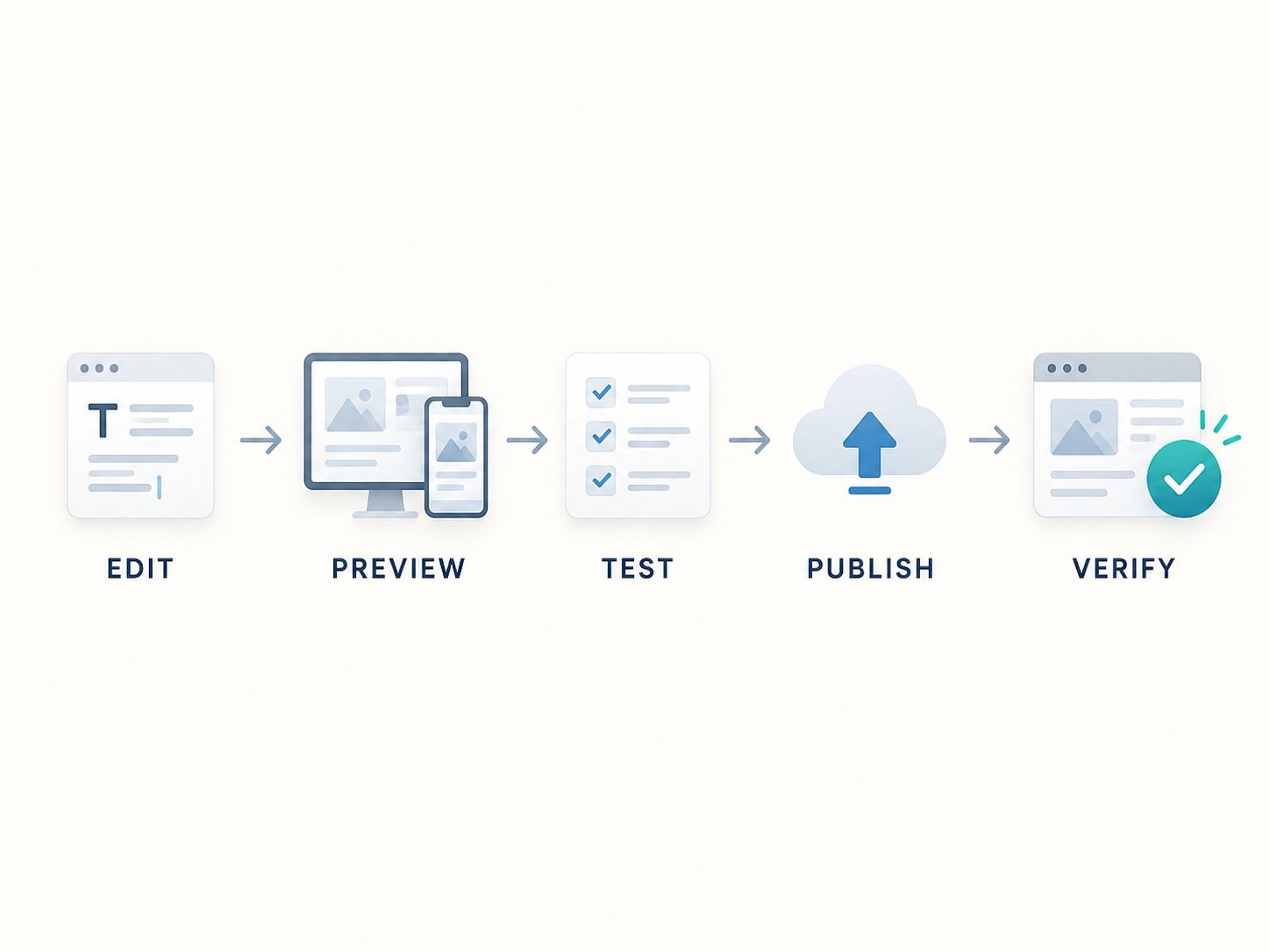
First, make the intended change.
Then inspect it before publishing, including mobile and desktop layouts where relevant.
Test any affected links, forms, or interactions.
Publish the approved change, and finally check the live website.
Webflow supports publishing to a Webflow staging domain and provides CMS-specific publishing capabilities. Availability of more advanced workflows and permissions depends on the plan and setup.
For routine owner edits, the most important habit is checking the final result before considering the work complete.
Never assume that a change worked correctly just because the editor accepted it.
For a broader understanding of website testing and launch quality, review our website quality control guide.
Can You Rely on Webflow Backups?
Webflow creates automatic restore points as you work and also allows manual restore points.
However, that does not mean you have a conventional scheduled backup system.
According to Webflow’s documentation, an automatic restore point is created at every fiftieth auto-save, and restoring a site can affect certain settings, CMS publishing behavior, and integrations.
The available restoration history depends on the plan.
You should therefore understand how to access backups before something goes wrong.
A Safer Recovery Approach
Before making a significant structural change, create a manual restore point when available.
After a restoration, check the content, forms, connected applications, and any settings that might have been affected.
If your website depends on external services, remember that restoring Webflow won’t necessarily restore the data held by those services.
For additional protection, Webflow CMS collections can also be exported as CSV files. A CSV export is useful for content recovery or migration, although it is not equivalent to a complete website backup.
See Webflow’s official backup documentation for the current restoration rules.
Does Webflow Need Ongoing SEO Maintenance?
Yes. Webflow gives you tools for managing SEO, but those tools don’t automatically make your pages relevant, helpful, or competitive.
Your most important responsibilities involve content quality, indexing, links, page experience, and keeping information accurate.
Keep Your Page Metadata Relevant
When you change the focus of a page, review its SEO title and description.
Use the SEO and metadata tools if you need to prepare metadata and social-sharing previews.
Check Redirects After Changing URLs
If you rename an established page, consider whether its previous address needs a redirect.
You can learn more about redirect behavior in our 301 Redirect and SEO guide and understand the consequences of missing pages in our 404 SEO and User Experience guide.
Review Structured Data When Appropriate
Structured data should accurately describe the page and follow applicable standards.
The code generators collection can help you explore generation utilities, but adding schema does not guarantee rich results or improved rankings.
For most owners, SEO maintenance doesn’t mean publishing more content every week. It means ensuring that existing pages remain useful, accurate, accessible, and easy to discover.
Image descriptions also contribute to accessibility and context. Our article on whether alt text helps SEO explores this aspect of website optimization.
Is Webflow Easier to Maintain Than WordPress?
For owners who want to avoid traditional server and plugin administration, Webflow is often easier to manage.
WordPress offers a different advantage: greater flexibility and control over the hosting environment, application code, and extensions.
| Factor | Webflow | Self-Hosted WordPress |
|---|---|---|
| Hosting maintenance | Mostly managed | Owner or hosting provider |
| Core updates | Platform-managed | Require management |
| Plugin ecosystem | Different app/integration model | Extensive plugin ecosystem |
| Content editing | Visual and CMS workflows | Depends on editor and theme |
| Custom development | Platform constraints apply | Extensive customization |
| Hosting portability | More limited | Greater choice |
| Owner control | Managed-platform model | More infrastructure control |
A well-maintained WordPress site with professional managed hosting can also be relatively straightforward to operate.
That’s why I wouldn’t choose a platform solely based on a claim that one is easier than the other.
If you’re comparing what happens when sites become more complex, explore WebPlatformLab’s website platform comparisons to understand the different systems involved.
Who Should Choose Webflow?
Webflow is especially suitable for owners who have a relatively predictable website structure and want to control ordinary content without managing server software.
A consulting company, design studio, service provider, or content-focused business can be a good match.
For example, consider a small law firm that needs service pages, attorney biographies, articles, and a contact form.
If those elements are organized into reusable components and CMS collections, the firm may be able to handle much of its routine content maintenance internally.
Now consider a company that needs complicated account permissions, custom customer dashboards, and extensive backend integrations.
Webflow might still play a role in its website, but the company should examine the application architecture carefully rather than assume the whole system will be easy to maintain.
You can use the Website Technology Checker to explore technologies used on existing websites when considering platform alternatives.
When Should You Reconsider Webflow?
Think carefully before committing if you require extensive server-side customization, complex external workflows, strict infrastructure control, or functionality that would make migration particularly difficult.
These aren’t necessarily reasons to reject Webflow.
They are reasons to investigate the long-term operational consequences before building the site.
For further context, our website migration agency guide explores the considerations involved when planning a platform transition.
What Should Be Included in a Proper Webflow Handover?
A completed website is not the same as a website the owner can confidently operate.
Before accepting the final handover, confirm that you understand the following:
- Account ownership, billing, and access permissions.
- How to edit ordinary content and CMS entries.
- How to upload images and preview responsive layouts.
- How to publish changes and inspect the live website.
- How to test forms and connected services.
- How to locate backups and understand restoration limitations.
- Which features depend on custom code.
- Who to contact for problems beyond your skill level.
Ask the developer to demonstrate the most important tasks, then perform them yourself.
You should leave the handover knowing not only what you can change, but also what you should avoid changing without help.
Frequently Asked Questions
Is Webflow Maintenance Expensive?
Not necessarily. An owner-managed website may require little paid technical support beyond its subscription and connected services. Expenses rise with custom functionality, frequent design work, and professional assistance.
Can Beginners Maintain Webflow Websites?
Yes. Most beginners can learn routine content editing after training. Advanced design changes and integrations require more expertise.
Does Webflow Update Automatically?
Webflow manages its platform-level software and infrastructure. Owners remain responsible for their content, accounts, custom code, and external services.
How Often Should I Maintain My Webflow Website?
Check business-critical functions regularly, review general website performance monthly, and conduct broader audits quarterly. Adjust the schedule to match your site’s importance and complexity.
Do I Need a Webflow Developer Every Month?
Usually not for a straightforward website with a stable design. You may still benefit from occasional professional assistance or an ongoing support agreement for complex requirements.
Can Webflow Websites Have Security Problems?
Yes. Managed hosting reduces some infrastructure responsibilities, but weak account security, poorly configured permissions, vulnerable external integrations, and inappropriate data handling can still create risks.
Can I Move My Webflow Website to Another Platform?
Yes, but some functionality may require rebuilding. CMS content can be exported, while layouts, integrations, and platform-specific features may require additional migration work.
What Is the Biggest Webflow Maintenance Mistake?
Assuming the website requires no attention because Webflow manages the hosting. Broken forms, outdated content, incorrect redirects, and failing integrations can all affect the business even when the platform is running normally.
Final Verdict: Should Non-Technical Owners Choose Webflow?
Webflow is worth serious consideration if you want a professionally designed website with fewer infrastructure responsibilities.
For a simple business website or a well-organized CMS project, the everyday maintenance workload can be manageable without a developer.
But Webflow won’t make complex functionality simple by itself.
The best decision is to look beyond the initial design and ask what you’ll need to do after launch.
Can you edit your regular content? Can you publish safely? Can you test the features your customers depend on? Do you know what happens when something goes wrong?
If you can answer those questions confidently, Webflow may be a very practical long-term choice.
If you cannot, make sure the implementation, training, and support arrangements are improved before committing.
Webflow is worth serious consideration if you want a professionally designed website with fewer infrastructure responsibilities.
Webflow can reduce technical maintenance, but a website still needs someone responsible for its content, customer inquiries, integrations, and overall performance.